

TL;DR
- One company now: Buildertrend acquired CoConstruct in 2021. CoConstruct is no longer sold as a separate product, and its remaining customers are being guided onto the Buildertrend platform.
- CoConstruct’s legacy: Built for custom builders and remodeling teams, CoConstruct was known for selections management, client communication, and budgeting tools that handled the financial details of residential jobs.
- Buildertrend today: A construction management platform for home builders, remodelers, and contractors that covers sales, project management, financials, and client communication, with CoConstruct’s features absorbed into it.
- The gap for commercial contractors: Both tools were designed to run projects after the contract is signed. Neither was built around pre-award bid tracking, proposals, and follow-up for commercial and specialty trade firms.
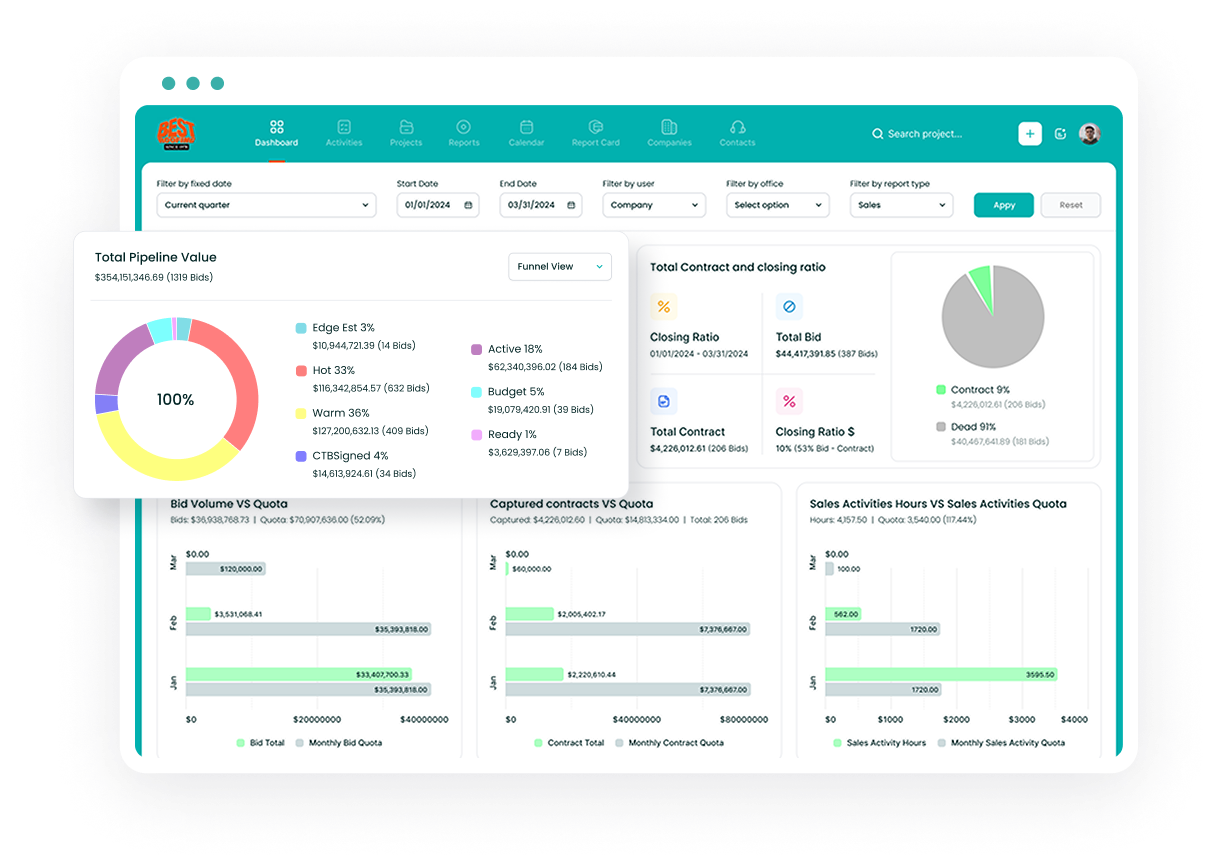
- Followup CRM: A construction customer relationship management (CRM) platform for commercial and specialty trade companies that tracks leads, bids, and proposals from first contact to award.
Buildertrend vs CoConstruct: Overview
Both started as construction management software for residential builders, both grew into all-in-one platforms covering scheduling, budgeting, and client communication, and both now sit under one roof.
The table below summarizes the differences that still matter to a builder evaluating the pair.
|
Buildertrend |
CoConstruct |
|
|
Status today |
Active, continues to be developed |
Acquired by Buildertrend in 2021, being merged into the Buildertrend platform |
|
Founded |
2006, Omaha, Nebraska |
2005, Charlottesville, Virginia |
|
Built for |
Home builders, remodelers, and contractors |
Custom builders and remodeling teams |
|
Core strengths |
Scheduling tools, daily logs, client portal, financials, takeoffs |
Selections management, client communication, budgeting tools |
|
Sales and lead tools |
Lead tracking and proposals, secondary to project management |
Lead management and proposals, secondary to project management |
|
Pricing |
Custom quote based on builder type and annual construction volume |
No longer sold to new customers |
|
Open to new customers |
Yes |
No |
What the table cannot show is the difference between software that runs a project and software that wins it. Neither platform was built around the pre-award sales cycle that commercial and specialty trade firms live in, which is the gap the rest of this article keeps coming back to.
What Is CoConstruct?
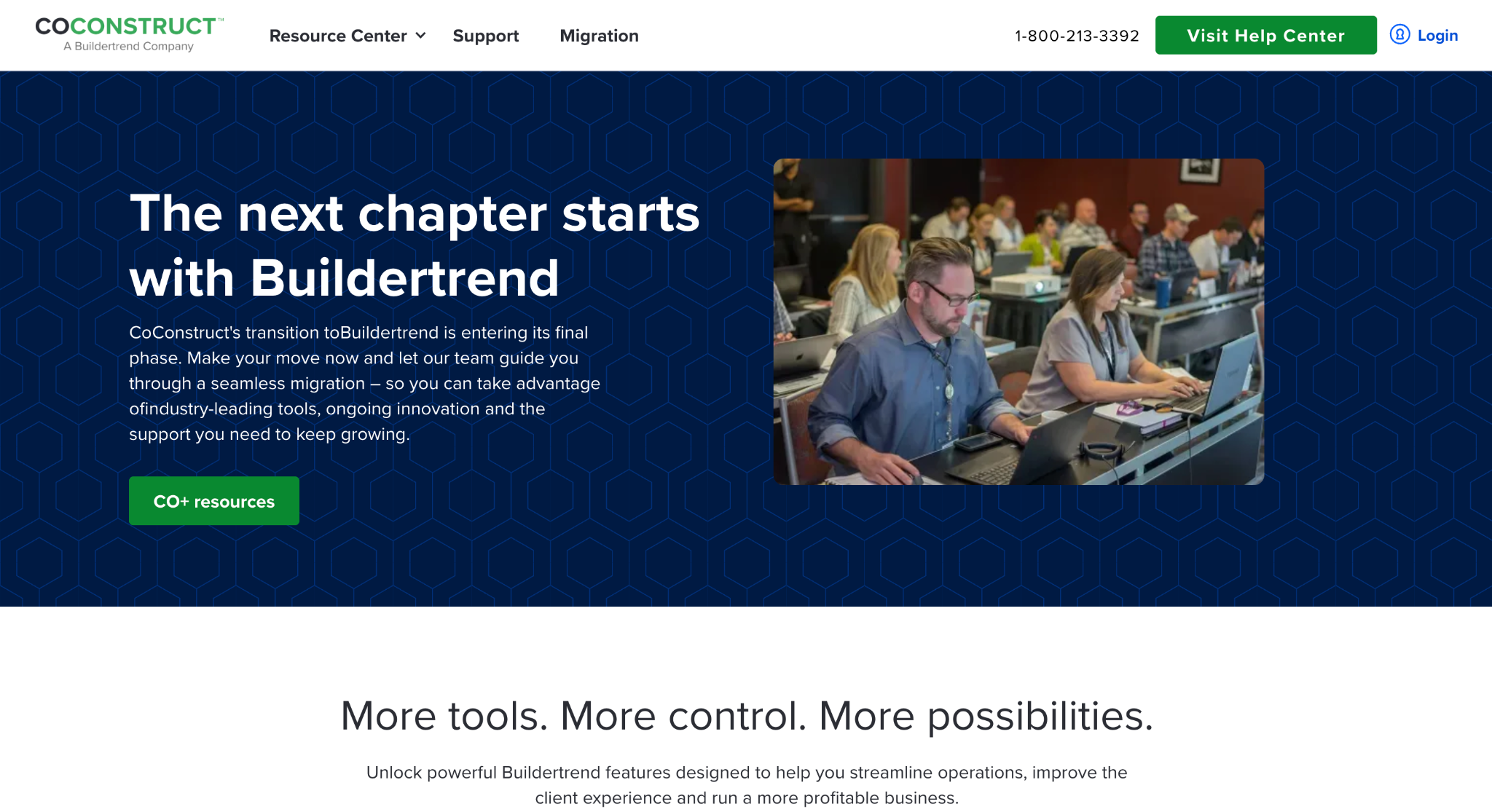
Image source: coconstruct.com
CoConstruct launched in 2005 after founder Donny Wyatt went through a frustrating custom home build in Charlottesville, Virginia, and decided the process needed better technology.
It grew into one of the most widely used platforms for custom builders and remodeling teams, with a focus on three areas: coordinating the crew, communicating with clients, and controlling the financial details of each job.
Selections management was the feature people most associated with it. Clients could review finishes and fixtures, make choices, and approve them inside the system, with every decision tied back to the budget.
Communication was organized by topic, so questions about a kitchen island stayed with the kitchen island, and clients could reply by email without logging in.
On the money side, estimating, budgeting, change orders, and invoicing ran in the same place, with a QuickBooks sync for accounting.
The two ran in parallel for a period after the 2021 acquisition, but CoConstruct’s website now describes the transition as entering its final phase and directs existing users to a migration path.
New customers cannot sign up, so any search for a CoConstruct alternative today is really a search for software that fits the business, with Buildertrend as one candidate among a growing list in the construction industry.
What Is Buildertrend?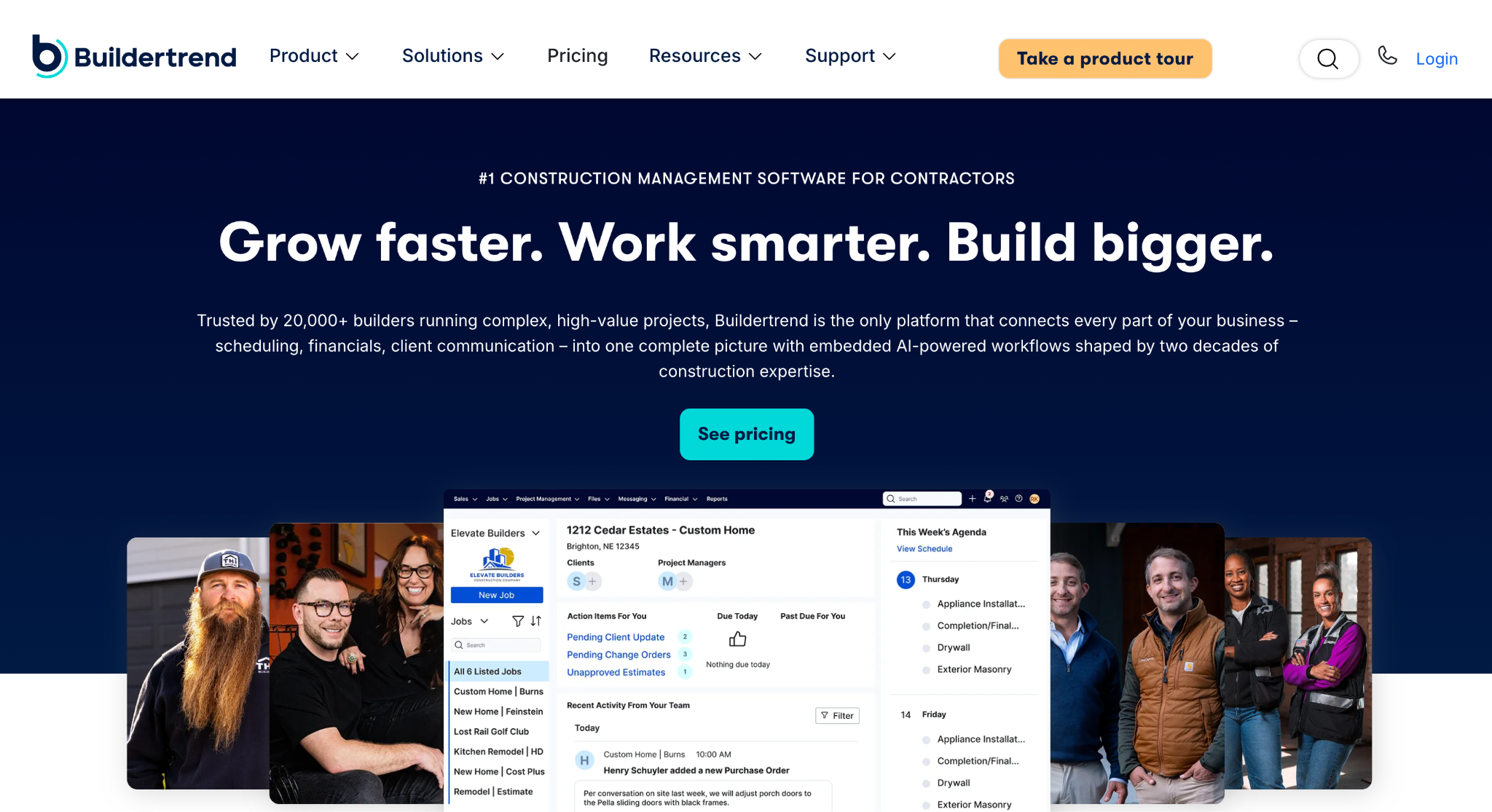
Image source: buildertrend.com
Buildertrend was founded in 2006 in Omaha, Nebraska, by Dan Houghton and brothers Jeff and Steve Dugger, with the idea that construction jobs could be managed in the cloud.
Twenty years later, it describes itself as construction management software for home builders, remodelers, and contractors, with more than 20,000 customers in over 100 countries.
The platform is organized around the full lifecycle of a residential job: lead tracking, proposals, and a sales pipeline on the front end, then scheduling, daily logs, to-do lists, document and photo storage, change orders, selections, and a client portal during the build.
On the financial side, it handles estimating, budgets, purchase orders, invoicing, and online payments, with integrations for QuickBooks, Xero, and Gusto.
It also sells adjacent services, including a takeoff solution, financing, and a business banking product called Buildertrend Wallet.
Buildertrend describes its product as an evolving platform. It uses a custom pricing model: prospective customers fill in their company name, builder type, and annual construction volume before speaking with the Buildertrend team.
For transparent pricing, request a written breakdown of subscription costs, onboarding, and optional services. Residential builders may also consider it as a Procore alternative, depending on their project requirements.
Software Features Comparison
Because the two products now share one roadmap, this section compares what CoConstruct was known for with what Buildertrend offers today, notes where a strength carried over, and flags where neither tool was built to do the job.
Project Management and Scheduling
Both platforms treat the job schedule as the center of the project. CoConstruct offered Gantt-style scheduling with task dependencies, to-do lists, and automatic notifications to trade partners when dates shifted.
Buildertrend covers the same ground with its schedule, daily logs, to-do lists, and time clock, which also serve as tools for managing subcontractors and field operations: daily logs are shared with subs and clients, to-dos can be assigned to subs, and field crews clock in from their phones.
For a builder running several active jobs, either set of scheduling tools keeps the crew informed. The practical difference today is that only one of them is still receiving new features.
Selections and Client Communication
CoConstruct’s selections workflow and topic-based messaging, covered above, were the features its users talked about most.
Buildertrend has long had its own client portal, where property owners see schedule updates, approve change orders, make selections, and pay invoices online.
Since the acquisition, Buildertrend has been folding that approach to selections into its portal. Former CoConstruct customers should test the current selections workflow during a demo rather than assume it mirrors what they used before.
Estimating, Budgeting, and Financials
CoConstruct let builders set a project up as fixed-price or open-book (its term for cost-plus contracts) and shaped the budget view around that choice.
Estimates fed into budgets, change orders adjusted the numbers, and invoices went out from the same system, with a QuickBooks sync for accounting.
Buildertrend supports both open-book and fixed pricing, and its financial tools run from estimates through purchase orders, bills, invoices, and online payments. Integrations cover QuickBooks, Xero, and Gusto.
The budgeting tools on both sides were designed for a residential job with a single client, which is a different problem from tracking margin on a portfolio of commercial bids.
Sales and Lead Management
This is where the comparison matters most for anyone reading it from the commercial or specialty trade side. Both tools include lead tracking and proposals and can hold a pipeline, but in both cases sales sits in front of a project management system rather than at the center of one.
There is no bid calendar built around due dates, no structured follow-up cadence for estimators chasing an award, and no win-loss reporting designed for a business that bids far more jobs than it signs.
Firms that have compared project management platforms and construction CRMs usually find they solve different problems, and that a business bidding commercial work often needs the second one first.
Migration and What CoConstruct Users Keep
Behind the scenes, Buildertrend has built a dedicated migration process for CoConstruct accounts. It starts with credit card verification to create a Buildertrend account, with no charge at that point.
Data specialists then move templates, customer contacts, trade partners, and accounting codes over, while active jobs are finished out in the old system.
Historical project data remains accessible in CoConstruct after the move. New projects can be added through March 31, 2027, unless the account fully commits to Buildertrend earlier. After that commitment, new projects must start in Buildertrend.
Existing customers can contact their account manager for migration help, and migrated accounts will be matched to a Buildertrend package with preferred customer pricing.
Builders who have completely moved over report expanding their software use to a wider variety of features.
The migration page points to two examples: Meg Billings, owner and builder in Twin Falls, Idaho, and Russell Alleman, president of Manchac Homes in Baton Rouge, Louisiana.
Manchac Homes made the switch after a behind-the-scenes look at the new budgeting features, and the page says Russell continues to see great success with the new software.
Job files do not carry over, so export anything you need from closed jobs before the switch.
Support and Training
Buildertrend puts a lot of weight on continuing education. Customers get access to Buildertrend University, the Learning Academy, and onsite consulting, along with technical support and training that the migration page describes as unlimited for accounts making the switch.
CoConstruct built its reputation partly on responsive support and onboarding, and that is one of the things long-time users say they will miss.
For any business evaluating Buildertrend now, the training resources are a real benefit, but they also signal that the platform takes time to set up well. Budget for onboarding rather than expecting the crew to be fully productive in week one.
When Buildertrend Makes Sense
Buildertrend is a reasonable fit for home builders, remodelers, and residential general contracting firms that run new projects from contract to closeout and want scheduling tools, the client portal, selections, and financials in one place.
It suits companies that already run CoConstruct and would rather keep a familiar workflow than retrain the crew on new software. It also fits builders who value structured onboarding and a large library of training content.
Anyone evaluating it should treat the quote process as part of the evaluation. Pricing depends on builder type and annual construction volume, so two businesses with similar average annual revenue can receive different numbers based on how the form is filled in.
When the Alternative You Need Is a CRM
Both tools were built to run a job once it has been won. Commercial and specialty trade businesses have a problem that comes earlier: too many bids, too many follow-ups, and no clear picture of which estimator is closing what.
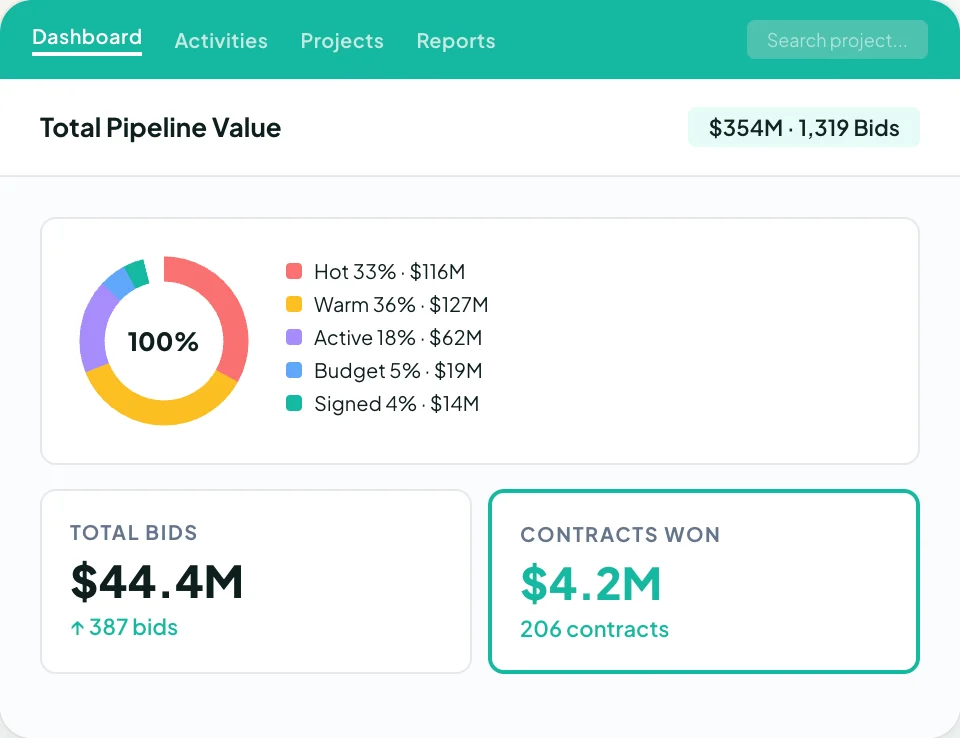
That is the work a construction CRM is built for, and it is where Followup CRM fits.
Followup CRM is a modern sales and bid-tracking platform designed for commercial and specialty trade contractors, with roofing, electrical, glass, concrete, and flooring among its core verticals.
Leads come in from any source and move through a pipeline built around construction stages. A digital bid calendar keeps every due date visible to the team.
Proposals are generated from branded templates and sent for e-signature, and dashboards show close rates, pipeline value, and team performance in real time.
Voice AI lets an estimator dictate what happened on a call and have the record updated for them, and Gregg AI Assist drafts follow-up emails and notes from the context already on the record.
Integrations cover Procore, Sage, Foundation, Vista, QuickBooks, BuildingConnected, CompanyCam, Outlook, and Gmail, so sales activity flows into the systems the rest of the business already runs on.
For a modern commercial contracting operation, Followup CRM handles the win and leaves project delivery to whichever platform runs the job, so sales success no longer depends on the system that runs the build.
See how Followup CRM would work with your bid pipeline. Book a demo today!
Never Guess Which Bids Will Close With Followup CRM
Most people who land on this comparison are trying to fix something that feels broken in how jobs run. For a lot of commercial and specialty trade businesses, though, the real leak is upstream.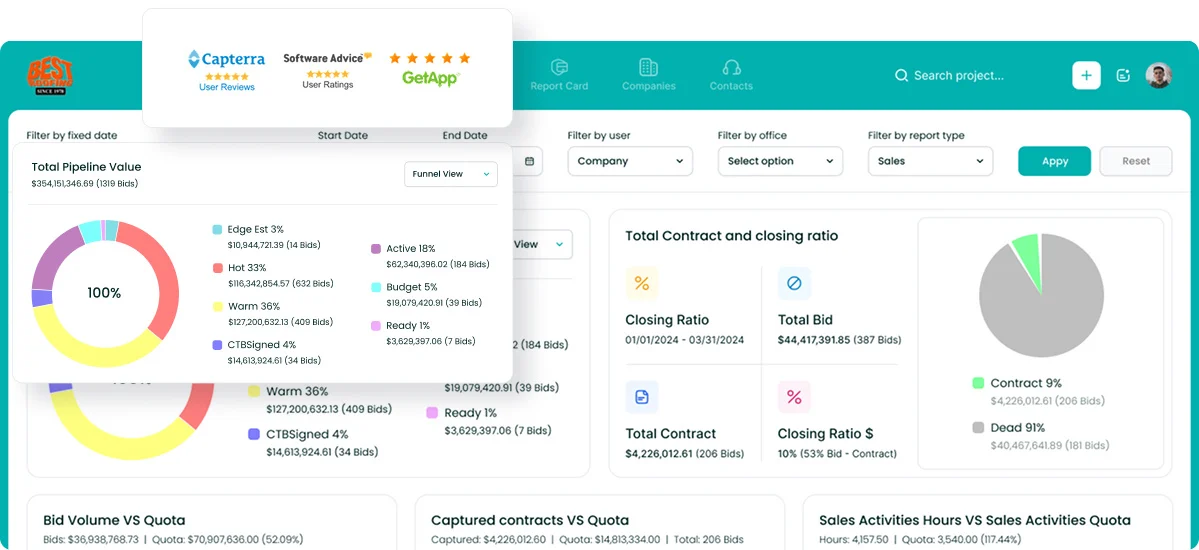
Bids go out, follow-ups fall through, and the only record of who said what to the prospect lives in an estimator’s inbox. No construction management platform fixes that, because the problem happens before there is a project.
Followup CRM is built for that stage. Every lead, bid, and proposal is tracked from first contact to award, with due dates on a shared bid calendar and follow-up reminders tied to each opportunity.
Estimators see what is on their plate, sales leaders see win rates and pipeline value without asking for a spreadsheet, and proposals go out branded and signed from the same system.
More than 4,000 construction professionals use it to turn bidding into a process instead of a scramble.
If you are rethinking your software stack because of the CoConstruct transition, this is the right moment to fix the sales side too.
The time and money you spend chasing bids are measurable, and so is the change in your success rate when follow-up stops depending on memory.
Request a live demo to see how Followup CRM would work with your bid pipeline.
FAQs About Buildertrend vs CoConstruct
Is Buildertrend legitimate?
Yes. It remains one of the most widely used construction management platforms for residential builders.
Whether it fits your business depends on your workflow, and anyone focused on commercial bidding may find a dedicated sales tool like Followup CRM a better match for the front end of their operations.
Is CoConstruct now Buildertrend?
Yes. Buildertrend acquired CoConstruct in February 2021, and the two products have since been combined under the Buildertrend name. CoConstruct is no longer sold to new customers, and existing accounts are being moved to Buildertrend through a guided migration.
Companies using this change to re-evaluate their software often pair a project management platform with Followup CRM for bid and lead tracking.
Does CoConstruct maintain access to historical project data?
Yes. The migration page states that no project data will be lost and that migrated accounts keep access to CoConstruct to view historical project information.
Individual job files and documents are not moved into Buildertrend, so export anything you want in your new system before you migrate.
Sales records are a separate question. Neither platform was built to hold a bid history, so companies that track proposals and follow-ups in Followup CRM keep that record intact no matter which tool ends up running the job.
Is Buildertrend a Procore alternative?
For residential builders, sometimes. Buildertrend covers scheduling, financials, and client communication for home builders and remodelers, while Procore is built for larger commercial work, so the two rarely compete for the same business.
Commercial and specialty trade firms that bid far more jobs than they sign usually need a dedicated sales tool like Followup CRM in front of whichever platform runs the work.
Is there a full demo video for CoConstruct and Buildertrend?
CoConstruct’s site offers a full demo video on request, along with a designated product expert to answer questions, and Buildertrend’s site offers a self-guided tour.
Both are worth going through before the sales call so the conversation starts with specific questions about pricing, data access, and how long it takes to migrate.
The CRM Built For Construction Companies
No more disorganized data. Track your leads, bids, and customers all in one place.
Seamless Integration with:
✅ Foundation ✅ Viewpoint ✅ Sage and more