

TL;DR
Here are the seven best CRM options for HVAC companies in 2026 and what each one brings to the table.
- Followup CRM: Best for commercial and specialty HVAC bid tracking.
- ServiceTitan: Best for larger HVAC field service operations.
- Housecall Pro: Best for scheduling and customer management for small HVAC businesses.
- Jobber: Best for quoting and scheduling HVAC service calls.
- FieldEdge: Best for dispatch and QuickBooks-connected customer management.
- Service Fusion: Best for customer management, estimates, and GPS tracking.
- ServiceTrade: Best for commercial HVAC service and project management.
What a CRM for HVAC Companies Needs to Do
Many HVAC companies start with a generic CRM that stores customer details and logs emails. That is a start, but an HVAC contractor needs the system to reflect how work is actually won and delivered.
HVAC business owners should compare HVAC CRM features against their sales process and field service operations.
Lead Capture and Bid Tracking
Lead management starts with inquiries from new customers, plan room invitations, and general contractor requests. Record each source so the team can track leads from first contact to award.
For commercial and specialty contractors, that pipeline is organized around bids, with due dates, estimate revisions, proposal status, and the follow-ups that happen between submission and award.
A shared bid calendar keeps estimators and sales on the same page, and reminders make sure no opportunity goes quiet because someone forgot to call back.
Service Calls and Job History
Once a job is won, the customer record should include the service address, equipment details, job history, and service agreements. Renewal tracking helps prevent maintenance contracts from lapsing.
Technicians and office staff both need to see what was installed, what was repaired, and when the next maintenance visit is due.
Maintenance agreements can support recurring revenue when visits and renewals are tracked consistently.
Customer interactions include appointment confirmations and review requests after job completion. Consistent communication supports a smoother customer experience and customer satisfaction.
Where FSM Software Fits
Field service management (FSM) software handles scheduling, dispatch, GPS tracking, and invoicing. Most of the tools on this list are FSM platforms with CRM capabilities built in, which suits high-volume residential service work.
Contractors whose revenue depends on winning bids should check whether the built-in CRM supports their bidding process. Followup CRM provides dedicated sales tools for commercial and specialty contractors.
The 7 Best HVAC CRM Software Options in 2026
The tools below cover the full range of HVAC businesses, from two-truck residential shops to commercial mechanical contractors bidding on multi-site work.
Each entry is a standalone look at what the software does, who it fits, and the features that matter most for managing customer relationships in the trade.
1. Followup CRM: Best for Commercial and Specialty HVAC Bid Tracking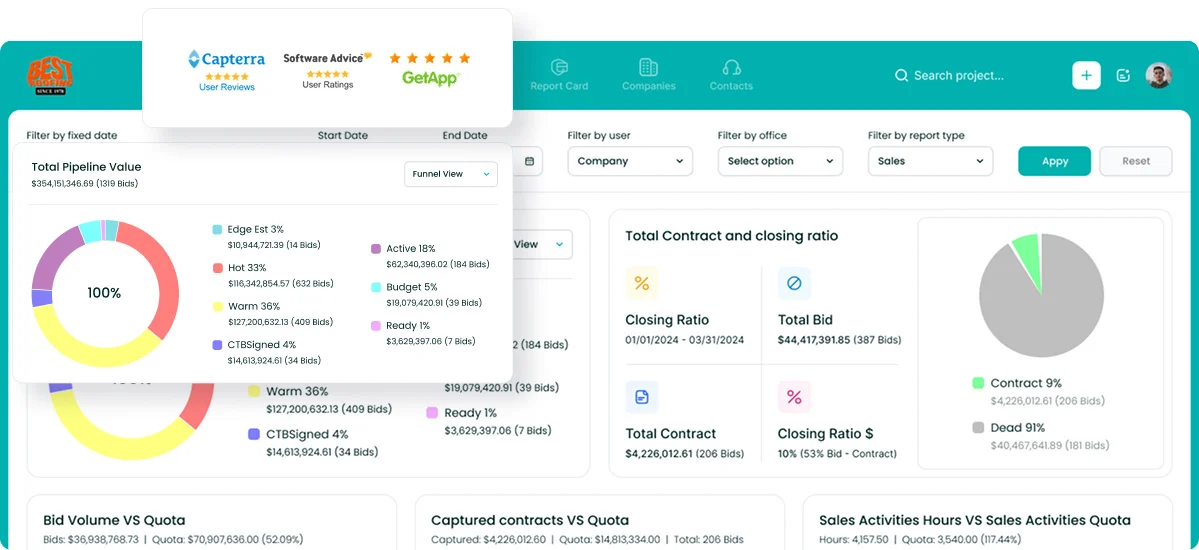
Followup CRM is a sales and bid-tracking CRM built for commercial and specialty trade contractors, HVAC included.
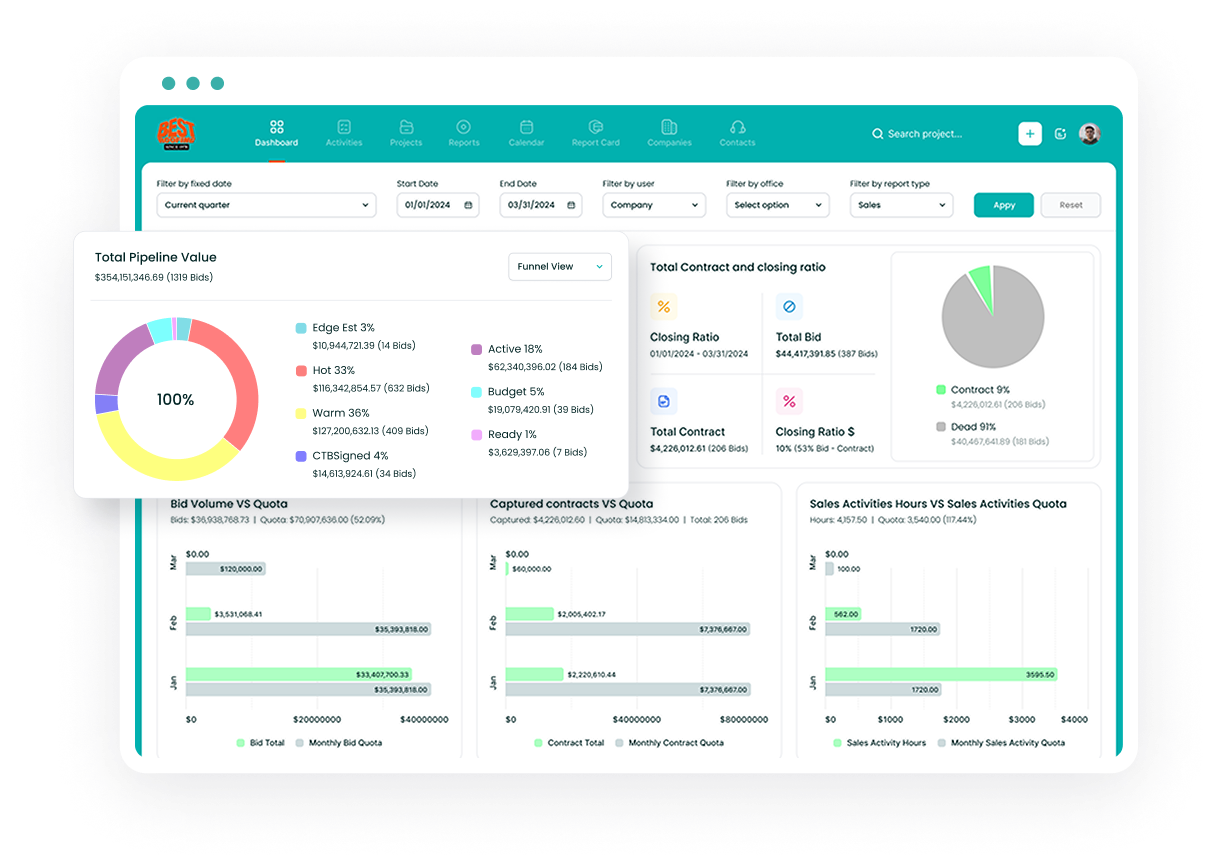
It covers the pre-award side of the business, from lead intake and bid deadlines to proposals, follow-ups, and the reporting that shows leadership how the pipeline is performing.
Property owners, general contractors, and facility managers all become accounts with full contact and activity history, so the sales team knows exactly where every opportunity stands.
The digital bid calendar is the center of the system. Every bid sits on a shared calendar with its due date, assigned estimator, and status, and automated reminders go out before deadlines.
Once an estimate is ready, the proposal generator produces a branded proposal and sends it for e-signature from the same record.
Follow-up sequences and task notifications keep the team working leads until a decision comes in, while sales and estimating dashboards track close rates and team performance in real time.
Followup CRM integrates with the accounting and operations systems HVAC contractors already run, including Foundation, Sage, Vista, QuickBooks, Procore, The Estimating Edge, and STACK, so sales data and the back office stay in sync.
Gregg AI Assist drafts comments and emails inside records, and Voice AI lets a salesperson speak an update and have the data entered for them.
Key Features
- Digital bid calendar with deadline reminders.
- Lead and bid tracking with custom pipeline stages.
- Proposal generator with e-signature.
- Sales and estimating dashboards.
- Outlook and Gmail integration with automatic activity logging.
- ERP and accounting integrations.
Book a demo to see how Followup CRM can help you better manage your HVAC bids.
2. Servicetitan: Best for Larger HVAC Field Service Operations
Image source: servicetitan.com
ServiceTitan is an all-in-one field service platform that serves residential and commercial contractors in HVAC, plumbing, and electrical.
The CRM lives inside the operations system, so every customer profile carries the service history, equipment records, and agreements tied to that property.
Call booking tools capture inbound calls and attach them to a customer record, and online booking lets customers choose from the time slots a company makes available, with the job details syncing to the office.
For HVAC companies, the platform covers service agreements, including commercial agreements, along with a pricebook for flat-rate pricing, a proposal builder for presenting options on site, and job costing to track margins per job.
Dispatch, text notifications, and a client portal handle the day-of communication, and the mobile app gives technicians access to customer data in the field. Real-time reporting and accounting integrations round out the back office.
ServiceTitan is suitable for established HVAC businesses that run a high volume of service calls and want scheduling, marketing, and customer management in a single system. Smaller shops may find the platform covers more ground than they need.
Key Features
- Call booking and online booking with customer record matching.
- Residential and commercial service agreement management.
- Pricebook, proposal builder, and job costing.
- Dispatch board and mobile app for technicians.
- Real-time reporting and accounting integrations.
3. Housecall Pro: Best for Scheduling and Customer Management for Small HVAC Businesses
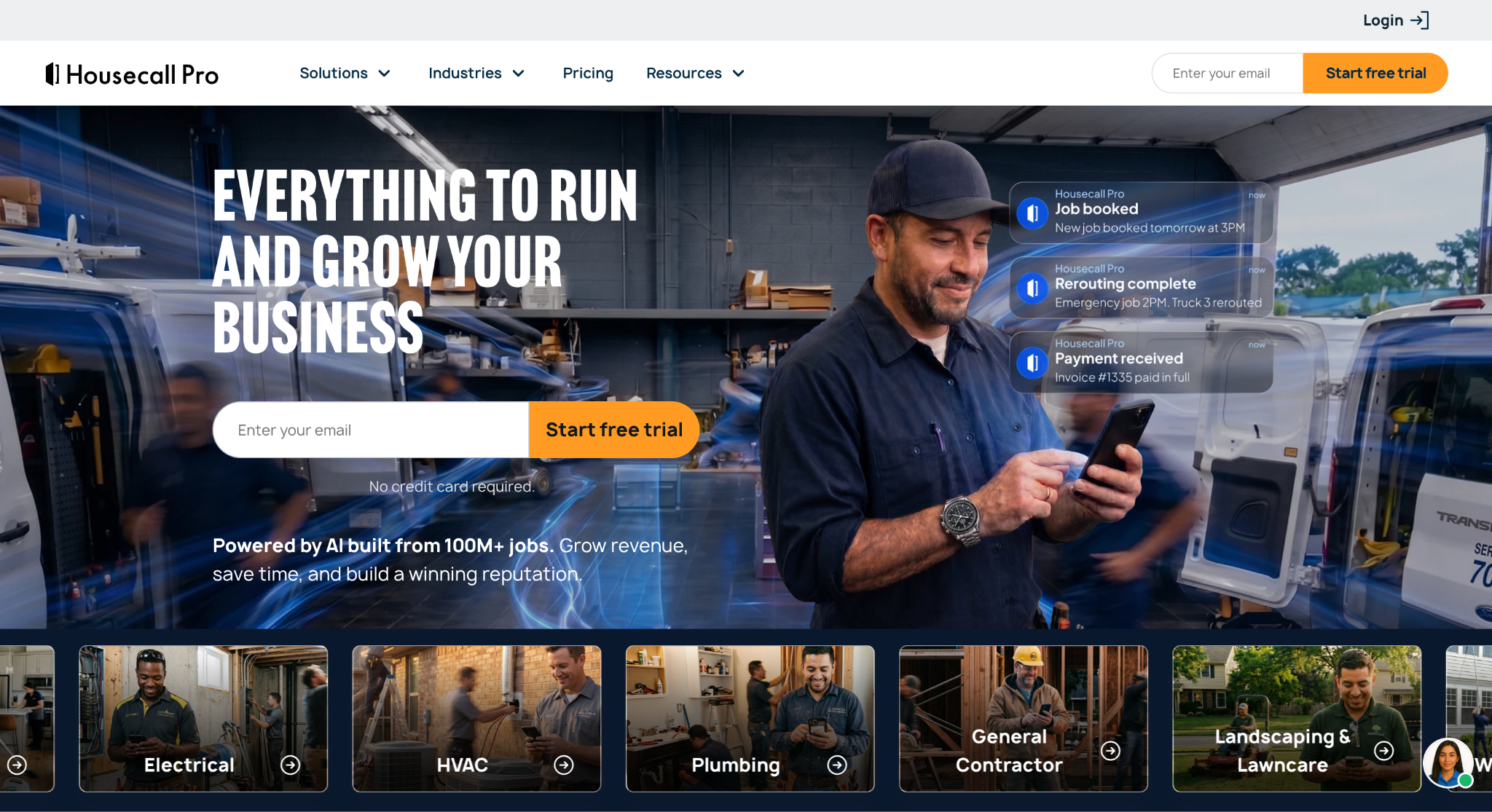
Image source: housecallpro.com
Housecall Pro is field service software built for home service businesses, and HVAC is one of its core trades. The pipeline feature tracks a customer from first inquiry through estimate, job, and invoice, with an intake flow for new leads.
Customer records store job history and communication, and the office can schedule recurring jobs and notify customers automatically.
The HVAC estimating tools let technicians build quotes with labor and material costs, offer financing options, and convert approved estimates into scheduled work.
Invoicing and payments run from the same app, and the QuickBooks Online integration keeps accounting in sync. Marketing tools cover review requests and customer outreach, which helps with repeat business from existing customers.
Housecall Pro works well for small HVAC businesses that want their office and field teams on one app without a long setup process. Companies whose sales depend on bidding commercial work will find the pipeline geared toward service calls rather than bid tracking.
Key Features
- Pipeline with lead intake and lifecycle tracking.
- HVAC estimating with job costing and financing options.
- Scheduling, dispatch, and recurring jobs.
- Invoicing, payments, and QuickBooks Online integration.
- Review requests and customer marketing tools.
4. Jobber: Best for Quoting and Scheduling HVAC Service Calls
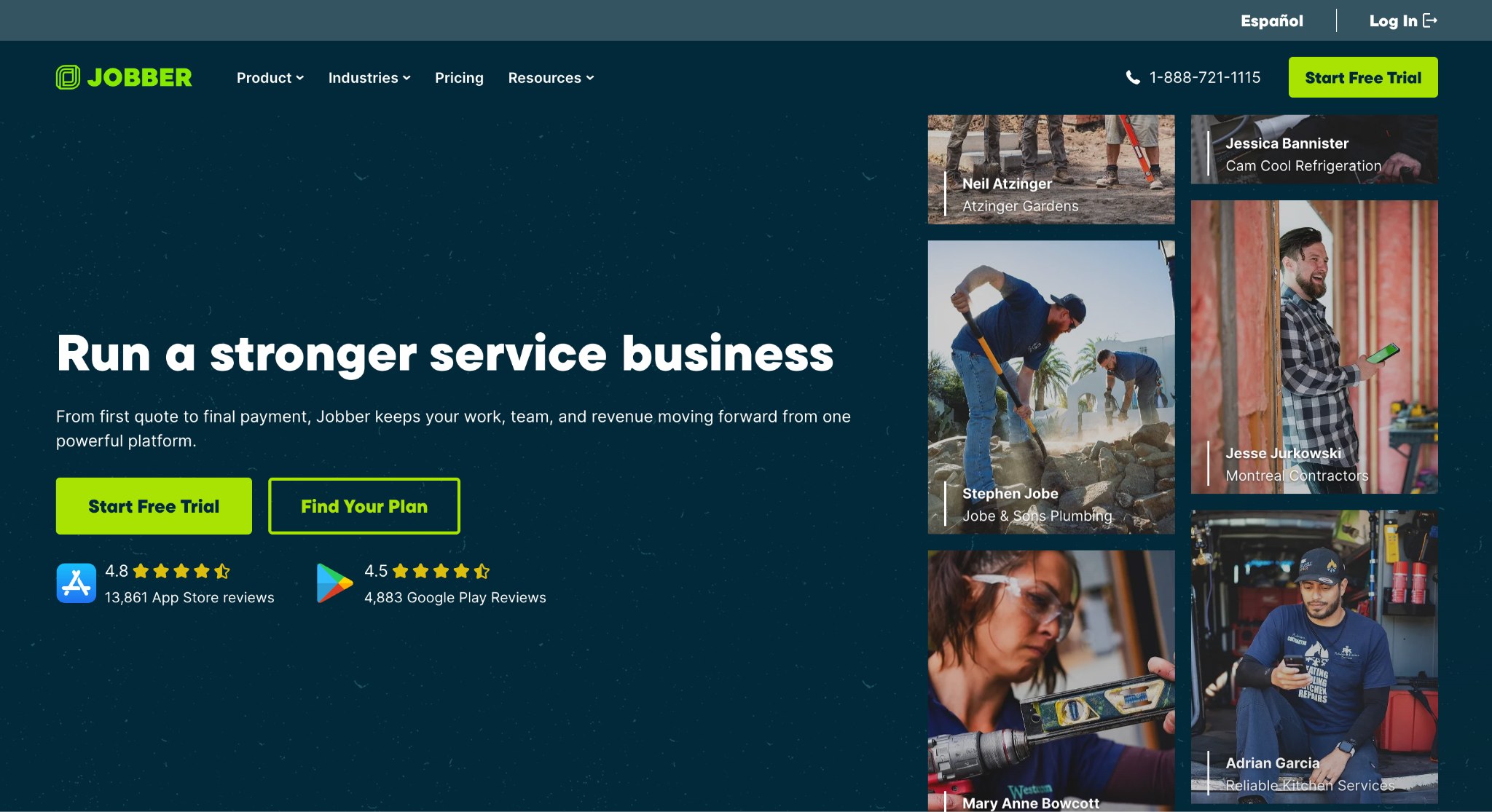
Image source: getjobber.com
Jobber positions its HVAC CRM around client details, job history, and communication. Each client profile stores past visits, equipment notes, and service agreements, and potential customers can be tagged as leads so they are managed separately from active clients.
Technicians see the same information on the mobile app, which cuts down on calls back to the office.
Quoting is a central part of the system. Customers approve quotes, pay deposits, and sign through a self-serve client hub, and Jobber automatically follows up on quotes that have not been answered.
Scheduling combines a drag-and-drop calendar, routing, and GPS waypoints recorded during app activity. Real-time GPS tracking requires FleetSharp vehicle devices. Job forms and checklists guide work on site.
Once a job is complete, an automated follow-up email can ask for feedback or a review, and batch invoicing sends several invoices at once.
Jobber is a good fit for HVAC teams that run on service calls and installs and want quoting, scheduling, and client communication handled in one place. Availability of some features depends on plan and location.
Key Features
- Client profiles with job history and lead tagging.
- Online quote approval, deposits, and signatures.
- Automated quote and post-job follow-ups.
- Drag-and-drop scheduling with routing and GPS waypoints.
- QuickBooks Online sync and email marketing.
5. FieldEdge: Best for Dispatch and QuickBooks-Connected Customer Management
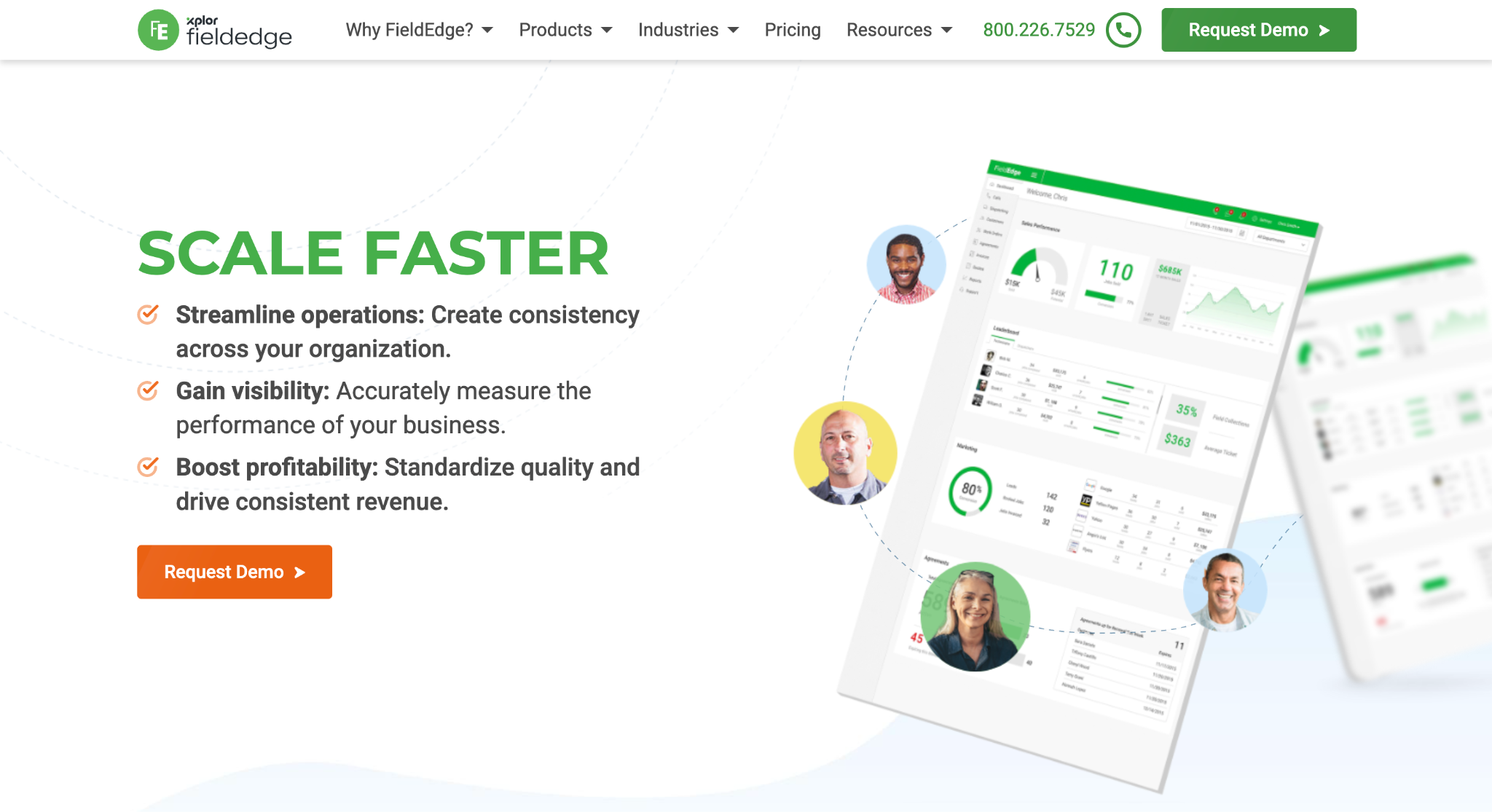
Image source: fieldedge.com
FieldEdge is field service management software built for HVAC and plumbing contractors, and most of its users are residential service companies.
The customer management side stores contact information, service history, and equipment details, and the office can communicate with customers directly from the record.
Service agreements are built into the workflow, which gives technicians a way to upsell maintenance plans while they are already on site.
The dispatch board shows assigned, unassigned, and completed work orders on one screen, and dispatchers move jobs between technicians from there.
In the field, the mobile app gives technicians custom forms, file and photo attachments, work order updates, and space for job-specific recommendations.
FieldEdge’s QuickBooks integration updates both systems in real time rather than batching transactions, which keeps invoicing and accounting aligned.
FieldEdge is suitable for HVAC contractors that want dispatch, customer records, and QuickBooks accounting connected in one system. Licensing is scalable, so companies choose the number and type of licenses they need.
Key Features
- Customer records with service history and equipment details.
- Service agreement management and upsell prompts.
- Dispatch board for assigned and unassigned work orders.
- Mobile app with custom forms and attachments.
- Real-time QuickBooks integration.
6. Service Fusion: Best for Customer Management, Estimates, and GPS Tracking
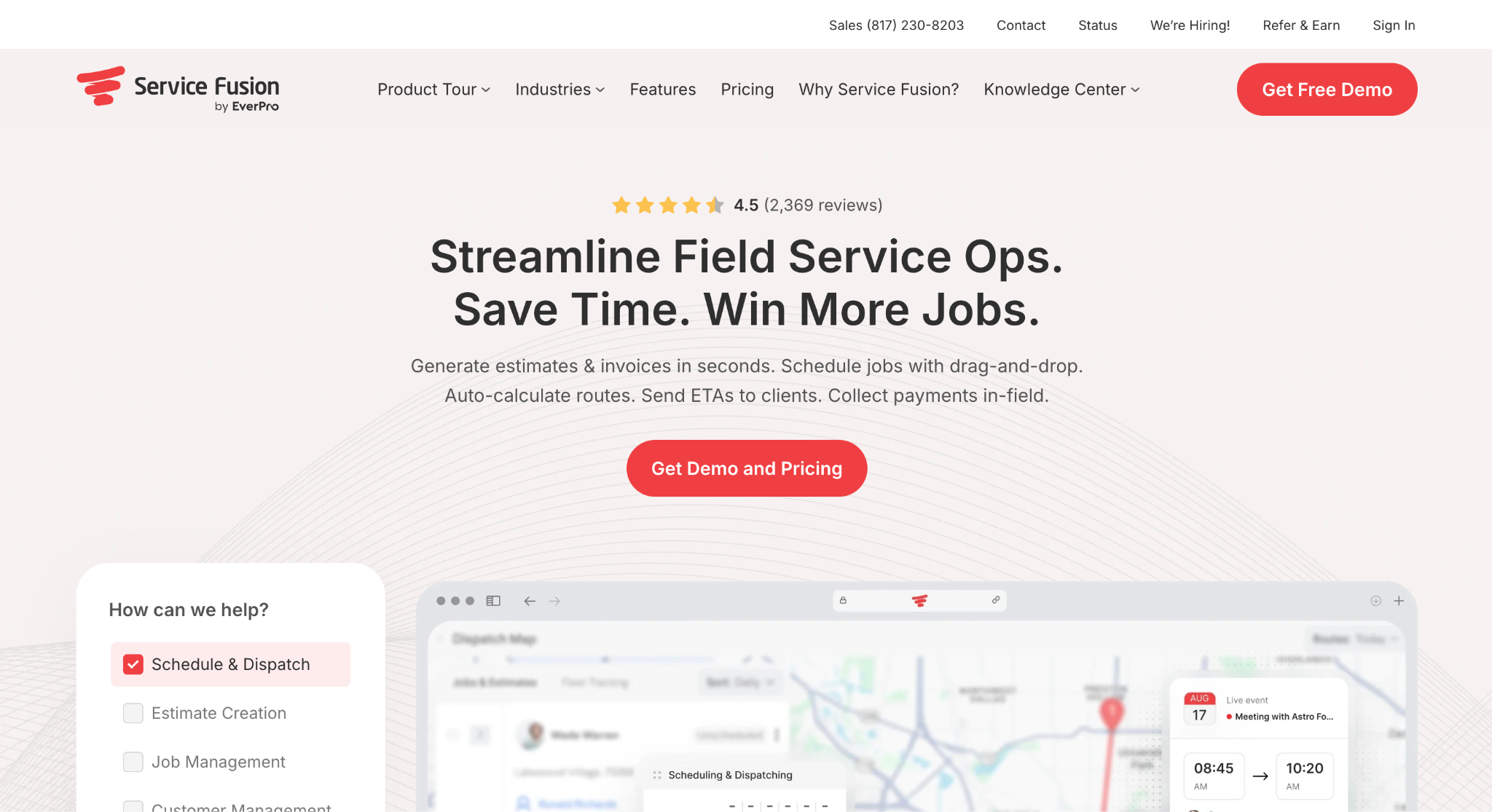
Image source: servicefusion.com
Service Fusion is an all-in-one field service platform for HVAC, plumbing, electrical, and other service contractors. Customer records hold contact information and job history, and technicians access both from the mobile app.
Scheduling and dispatching are built for speed, with jobs created and assigned in under a minute according to the vendor.
Estimates can be pre-populated and sent from the field, and the payments module accepts cards on site through Service Fusion Payments and a portable card reader.
Invoicing supports progress billing and recurring invoices, which suits maintenance agreements, and QuickBooks syncs automatically.
GPS fleet tracking shows where vehicles are, a customer web portal lets clients view their account, and a VoIP phone option ties call handling to the same system.
Service Fusion may do well for small to mid-sized HVAC companies that want scheduling, payments, and customer records together and expect to add users as they grow, since the platform does not charge per user.
Key Features
- Customer records with job history.
- Scheduling and dispatching with GPS fleet tracking.
- Pre-populated estimates and field payments.
- Progress billing and recurring invoicing.
- QuickBooks sync, customer web portal, and VoIP phone option.
7. Servicetrade: Best for Commercial HVAC Service and Project Management
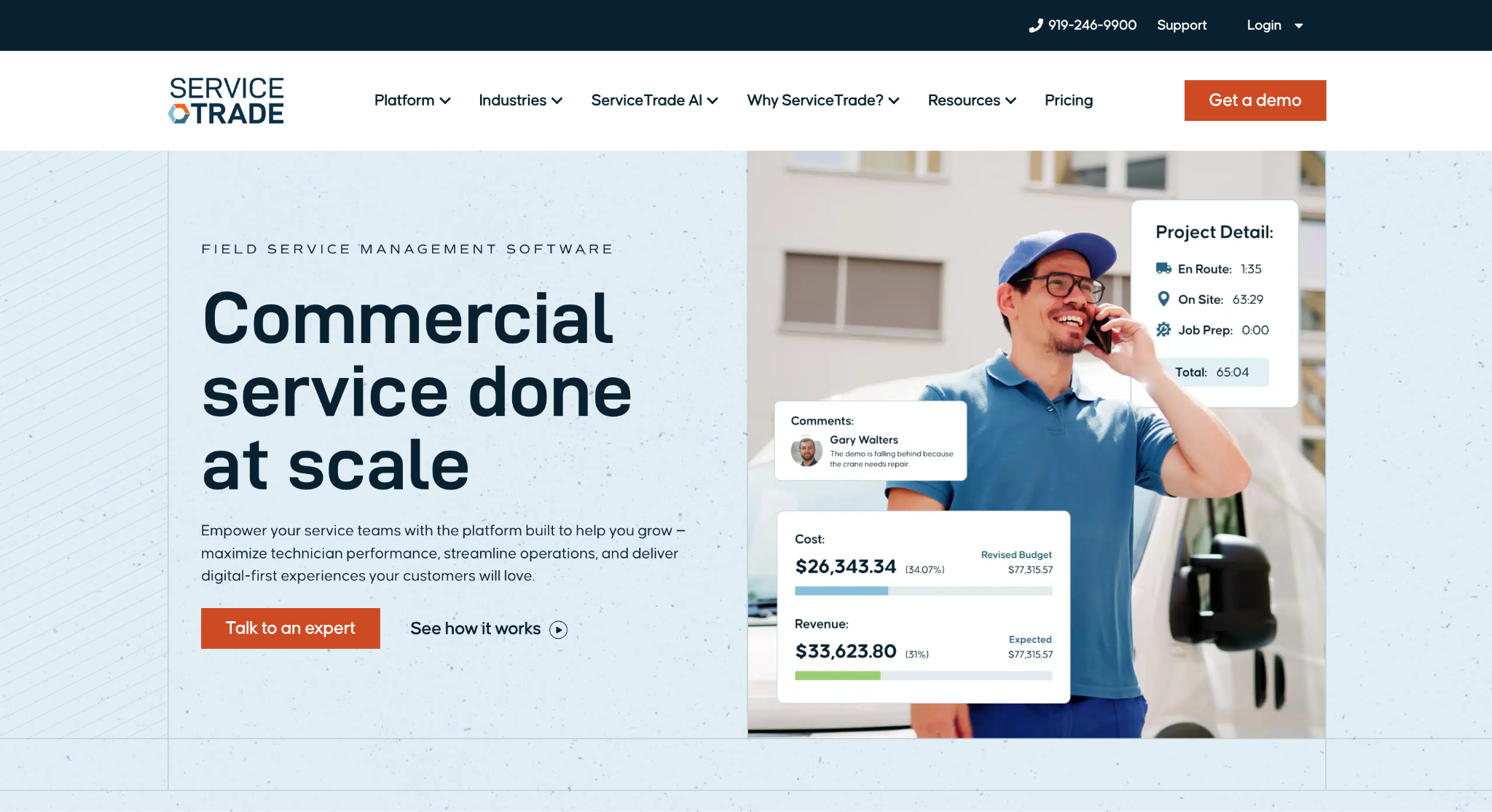
Image source: servicetrade.com
ServiceTrade is built for commercial service contractors, with mechanical HVAC and fire protection as its primary trades. The platform states it is designed for commercial service teams rather than residential contractors, and the feature set reflects that.
It manages service agreements and recurring maintenance schedules, tracks contract commitments, and documents completed work and deficiencies so repair opportunities turn into quotes.
The sales-to-service workflow runs from estimate and proposal through approved work, completed service, and invoice.
Project management tools track cost, revenue, margins, and remaining budget on mechanical projects, and customer communication tools keep building owners and facility managers informed.
ServiceTrade integrates with accounting, ERP, CRM, payment, GPS, and telematics systems, which signals that it is meant to sit alongside a sales CRM rather than replace one.
ServiceTrade is a good fit for commercial mechanical contractors whose revenue comes from maintenance contracts and the repair work those contracts surface.
Companies focused on winning new construction bids will still need a dedicated pipeline and bid tracking tool.
Key Features
- Service agreement and recurring maintenance management.
- Deficiency tracking that feeds repair quotes.
- Estimate, proposal, and quote workflow.
- Project cost, revenue, and margin tracking.
- Accounting, ERP, CRM, GPS, and telematics integrations.
How to Choose the Right HVAC CRM Software
Start with how your company wins work, not with a feature list. An HVAC business that runs on residential service calls needs the customer record tied to dispatch and invoicing, so an FSM platform with CRM capabilities built in is the natural choice.
A contractor that bids commercial installs, retrofits, or multi-site maintenance contracts needs a pipeline built around bid due dates, proposals, and follow-ups, which a generic CRM or a dispatch tool will not give you.
When comparing tools, ask who in the company will live in the system every day.
Estimators and salespeople need a bid log with deadlines and reminders. Office staff need accounting and email integrations that reduce double entry. HVAC owners need reports on company performance and access to cash flow figures in their accounting system.
If any of those groups will keep their own side system, the CRM has not solved the problem.
Check the integration list against the software you already run, especially accounting and estimating. Finally, think about customer retention.
Existing customers and repeat general contractor relationships are the cheapest revenue an HVAC business has, so the CRM should make it obvious when an account has gone quiet and who owns the next call.
Quick Follow-Ups, More Won Bids With Followup CRM
Most lost bids in commercial HVAC do not come down to price. They come down to a proposal that went out late, a general contractor who never got a call back, or a deadline that lived on one estimator’s desk calendar and nowhere else.
Followup CRM was built to close those gaps for specialty trade contractors, and it is used by over 4,000 construction professionals who bid for a living.
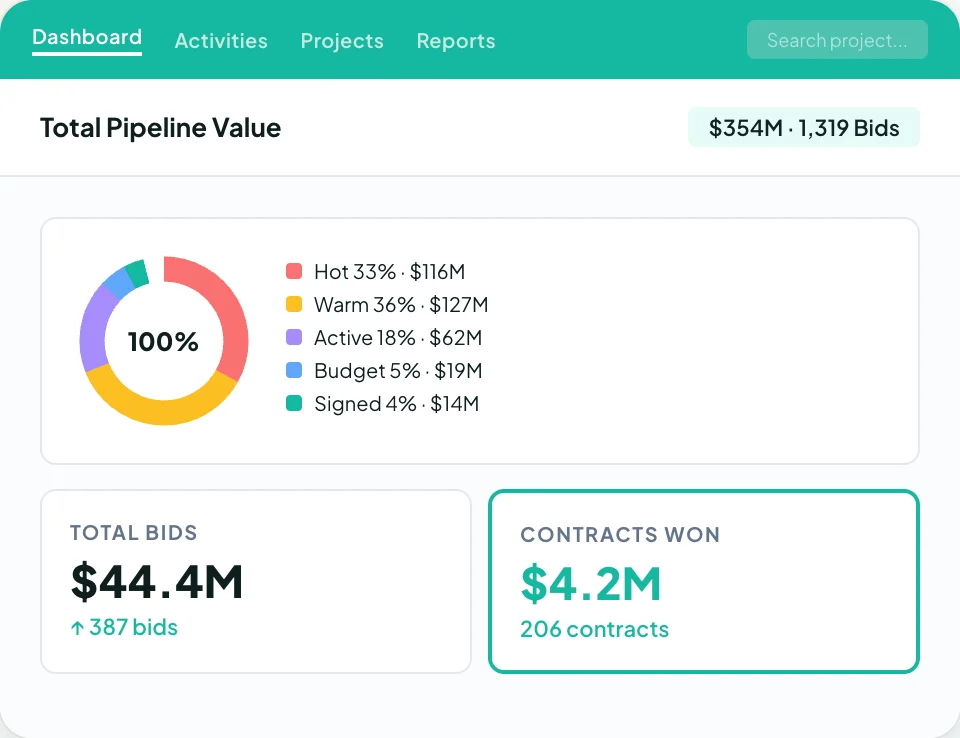
Every opportunity lands on a shared digital bid calendar with its due date, owner, and stage, and reminders go out before anything slips. When the estimate is ready, the proposal generator produces a branded document and sends it for e-signature from the same record.
Automated sequences and task alerts keep the sales team working each lead until the award decision, and sales and estimating dashboards show leadership exactly where the pipeline stands, which bids are stalled, and how each salesperson is performing.
Followup CRM connects with Foundation, Sage, Vista, QuickBooks, Procore, The Estimating Edge, and STACK, so the systems your office already uses stay in sync, and Outlook and Gmail integration logs email activity against the right account without manual entry.
Gregg AI Assist drafts follow-up emails and notes inside records, and Voice AI handles data entry from a spoken update after a site visit.
FAQs About CRM for HVAC
What is CRM in HVAC?
Customer relationship management (CRM) in HVAC is software that stores every customer, prospect, and general contractor in one system, along with their contact history, bids, proposals, and follow-ups.
For commercial and specialty contractors, the most useful HVAC CRM is organized around the sales pipeline, so the team can see which bids are due, which proposals are out, and which accounts need attention. Followup CRM is built on that model.
What are the top three CRM platforms?
The answer depends on how the business sells. Residential service companies usually get CRM capabilities from their field service platform, while bid-driven contractors need a dedicated sales CRM.
The three capabilities that matter most for HVAC contractors are a shared bid calendar with reminders, a proposal generator with e-signature, and pipeline reporting for leadership.
Followup CRM covers all three and was designed for commercial and specialty trade contractors.
What software do most HVAC companies use?
Most HVAC companies run a field service management platform for scheduling, dispatch, and invoicing, an accounting system such as QuickBooks or a construction ERP, and an estimating tool. Contractors that bid commercial work add a sales CRM on top of that stack.
Followup CRM fills that role and integrates with QuickBooks, Sage, Foundation, Vista, Procore, and estimating software so the sales side stays connected to the rest.
How much does HVAC CRM software cost?
HVAC CRM software cost depends on the model. Field service platforms charge a monthly subscription, some per user and some flat, with higher tiers unlocking more features. Dedicated construction CRMs are usually priced per user with plans that scale by capability.
Followup CRM offers three plans, Team, Professional, and Enterprise, each adding automation, proposal, and integration features, and quotes pricing on request. HVAC professionals can book a demo to get a figure that matches their team size and the features they need.
The CRM Built For Construction Companies
No more disorganized data. Track your leads, bids, and customers all in one place.
Seamless Integration with:
✅ Foundation ✅ Viewpoint ✅ Sage and more