

TL;DR
- Jobber has four plans: Core, Connect, Grow, and Plus.
- Monthly billing with no commitment runs from $49 per month for Core with one user to $699 per month for Plus with 15 users.
- Annual prepaid billing lowers every rate, with Core starting at $29 per month.
- Each user beyond the included count costs $29 per month on every plan.
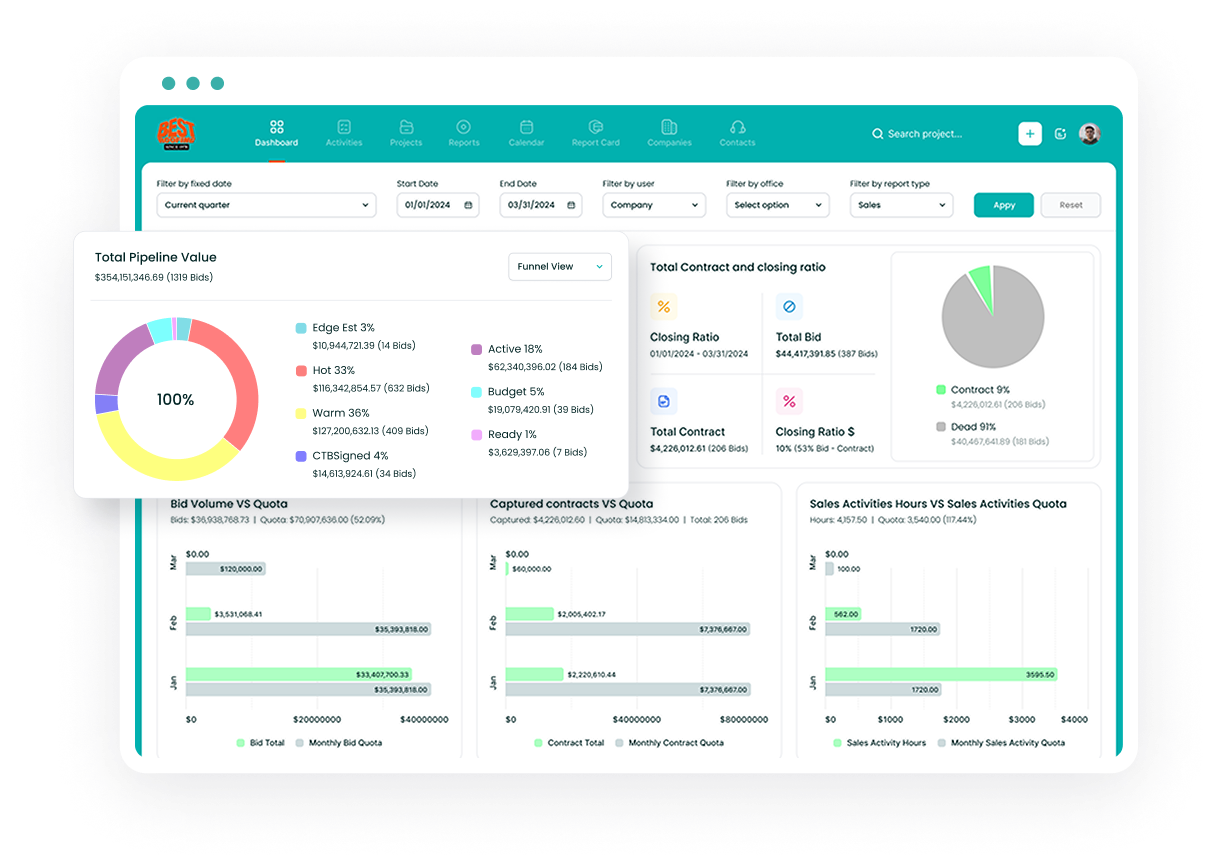
- Followup CRM is a sales and bid tracking CRM for commercial and specialty trade contractors who manage a pipeline rather than a service calendar.
How Jobber Pricing Works
Image source: getjobber.com
Three variables set your Jobber bill.
The first is your Jobber plan. Core, Connect, Grow, and Plus each add features on top of the one below, and the plan decides what your team can do inside the software.
The second is team size. Jobber counts a user as anyone who accesses the account to view or manage the schedule, whether in the office or in the field.
Core includes one user. Connect and Grow come in bands of one, five, ten, or 15 users, and Plus in bands of five, ten, or 15. Every plan charges $29 per month for each additional user, and teams above 15 contact sales for a custom quote.
Jobber does not price by how many jobs you run or how much revenue you process.
The third is the billing term. Monthly billing with no commitment carries the highest rate, a one-year commitment billed monthly lowers it, and annual prepaid billing lowers it further.
Jobber also runs limited-time introductory offers for new customers, usually a discount for the first three months or the first year. The figures below use standard list rates; check the pricing page for current offers.
Jobber Pricing Plans Explained
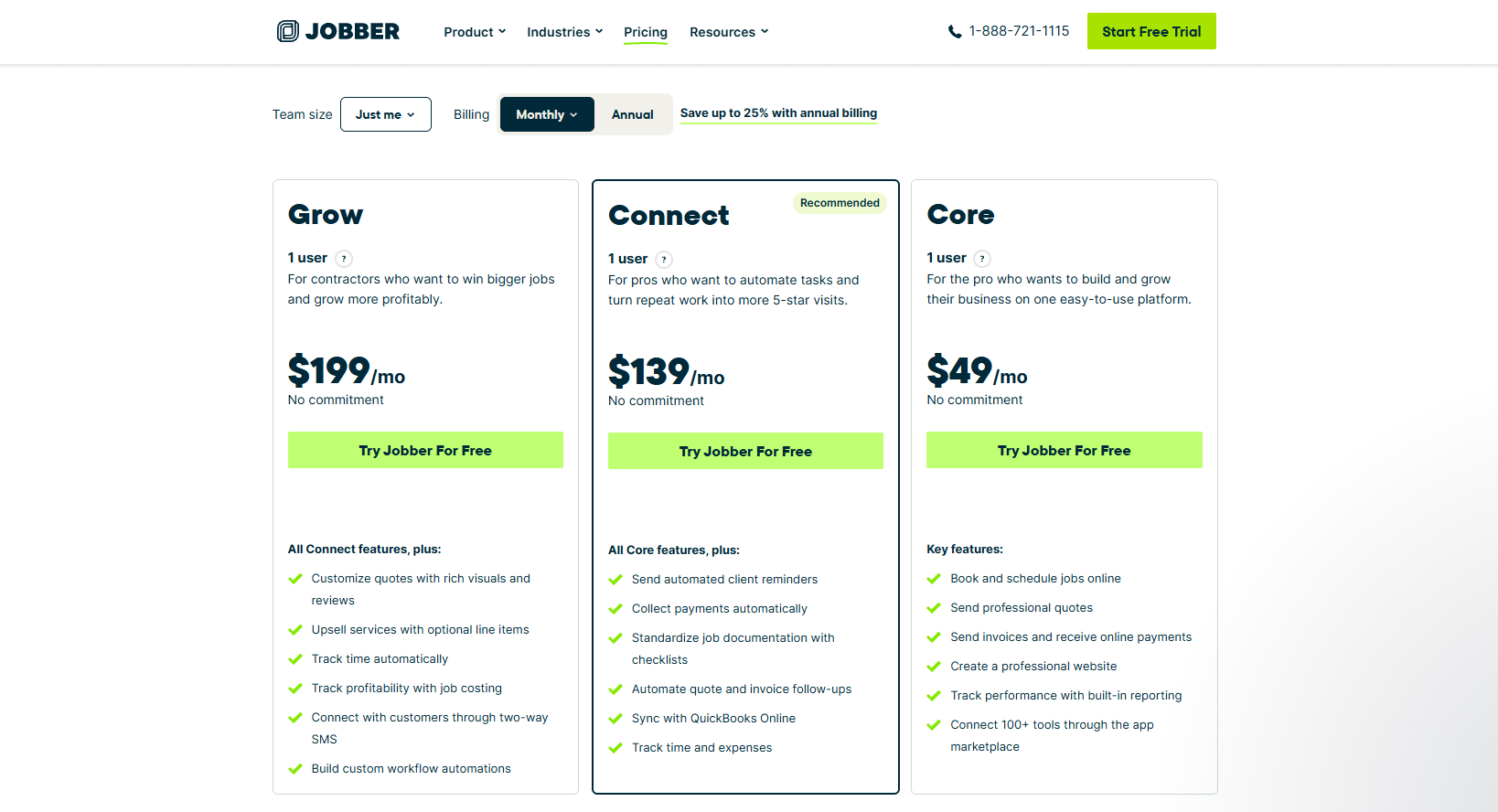
Image source: getjobber.com
This pricing comparison shows how user counts, billing terms, and Jobber features affect the subscription. The Jobber pricing breakdown below compares starting rates under all three billing terms, larger user bands, and the features each tier adds.
All prices are in US dollars before applicable taxes. Annual prepaid rates are monthly equivalents, with the full year charged upfront.
Core Plan: The Basics for Solo Home Service Pros
Core is the entry plan and comes with one user. It costs $49 per month with no commitment, $39 per month on a one-year commitment, or $29 per month billed annually. There is no larger team band on Core, so a second user adds $29 per month.
The plan covers the fundamentals of running a service business from a phone. You can book and schedule jobs online, send professional quotes with signature approval, and send invoices that customers pay online by card or bank transfer.
Core includes the client manager (CRM), the client hub where customers approve quotes, check appointment details, and pay invoices, and a basic website you can launch to take online bookings.
Built-in reporting, the app marketplace with more than 100 integrations, and the Jobber mobile app for iOS and Android are all included.
What Core does not include is automation. Automated reminders, quote and invoice follow-ups, automatic payment collection, QuickBooks Online sync, and time tracking all start on Connect.
Connect Plan: Communication and Tracking
Connect starts at $139 per month for one user with no commitment, $119 per month on a one-year commitment, or $99 per month billed annually.
The five-, ten-, and 15-user bands cost $199, $299, and $399 per month with no commitment, dropping to $149, $229, and $299 per month when billed annually.
This is the plan where automated client communication begins. Jobber sends automated client reminders before visits, follows up on unapproved quotes and unpaid invoices by email or text, and can collect payments automatically for recurring work by charging a saved card.
Automatic payment collection is available in the US and Canada.
Connect also adds job checklists to standardize job documentation, time and expense tracking from the mobile app, and QuickBooks Online sync so invoices and payments reach your books without double entry.
Onboarding on Connect includes two white-glove sessions of up to two hours.
Grow Plan: Costing and Automation
Grow starts at $199 per month for one user with no commitment, $169 per month on a one-year commitment, or $149 per month billed annually.
The five-, ten-, and 15-user bands cost $299, $399, and $499 per month with no commitment, or $229, $299, and $399 per month billed annually. Grow is also the plan the free trial runs on.
Grow is where job data turns into profitability tracking. Job costing shows what each job earns based on the materials, labor, and expenses logged against it.
Automatic time tracking uses location timers that start and stop when a worker arrives at or leaves a site, so timesheets fill in without manual clock-ins.
Quoting gets more flexible too. Quotes can carry rich visuals and reviews, and optional line items let you offer upsells that the customer can accept on the quote.
Two-way SMS lets your team text customers from inside Jobber, available in the US, Canada, and the UK. A custom automation builder lets you design your own quoting and invoicing workflows.
Onboarding on Grow includes three sessions of up to three hours.
Plus Plan: Dedicated Onboarding and Premium Support
Plus is the top tier and starts at five users. It costs $499 per month with no commitment, $439 per month on a one-year commitment, or $399 per month billed annually.
Ten users cost $599, $499, or $449 per month, and 15 users cost $699, $599, or $529 per month on the same three terms.
The plan bundles the three paid add-ons, so Pipeline, Marketing Suite, and the AI Receptionist come included rather than as separate line items.
It also adds unlimited photo and video storage for job documentation, crew scheduling with team @mentions, automated expense capture with alerts when a job’s profitability slips below a set margin, and custom reports built from live business data.
Support is the other difference.
Plus customers get unlimited white-glove onboarding with a dedicated specialist, premium support with faster response times, a guided tour of Jobber’s API, and data import assistance. Jobber values these at $599, $99, $99, and $499 respectively on its pricing page.
Larger teams, franchises, and multi-location businesses get custom pricing through Jobber’s sales team.
Monthly Billing vs Annual Prepaid Billing
Jobber offers three ways to pay for the same plan, and the choice changes both the rate and the commitment.
Monthly billing with no commitment carries the full list price. You can cancel at any time, your access runs to the end of the current billing period, and you are not charged again.
Monthly billing with a one-year commitment lowers the rate, on Core from $49 to $39 per month, but it comes with a 12-month minimum term. If you cancel during the year, the subscription stays active, and you keep paying monthly until the term ends.
Annual prepaid billing gives the lowest rate, Core at $29 per month, and bills the full year at the start of the subscription. The initial payment is non-refundable. Canceling mid-year keeps your access until the term ends, but there is no refund for the unused months.
All subscriptions renew automatically unless set to non-renew. You can upgrade a plan at any time, while downgrades take effect at the end of the current billing cycle, whether that is monthly or annual.
For a business that has already run the trial and knows the tool fits, the annual option is the cheapest route. For a business still deciding, monthly billing with no commitment costs more per month but carries no lock-in.
Jobber Add-Ons and Payment Processing Fees
The plan price is the base. Add-ons, payment processing fees, and extra users can increase the total cost.
Add-ons are sold separately on Core, Connect, and Grow, and all three are included on Plus:
- Marketing Suite, $99 per month. Jobber builds a customized marketing plan and content for your business, and you approve everything before it goes out.
- Receptionist, $29 per month. An AI receptionist responds to calls and texts 24/7, handles detailed requests, and can book jobs into your calendar within limits you set.
- Pipeline, $49 per month. A sales pipeline view that keeps every request and quote in one place and updates as opportunities move toward a booked job.
Jobber Payments charges the same rates on every plan. Online credit card payments cost 2.9% plus 30¢ per transaction, available in the US, Canada, and the UK.
Tap to Pay through the mobile app costs 2.7% plus 30¢. Bank payments by ACH cost 1% and are available in the US. Instant payouts, which land in seconds, including weekends, add a further 1%.
Extra users round it out at $29 per month each on every plan. There are no setup or implementation fees, and onboarding sessions are included on Connect and above.
What a Jobber Subscription Costs by Team Size
Here is how the pieces add up for three common setups, using standard list rates with no commitment and annual prepaid billing.
A solo operator on Core pays $49 per month, or $29 per month billed annually. Moving to Grow for job costing and automatic time tracking takes that to $199 per month, or $149 billed annually.
A five-person crew fits the five-user band on Connect at $199 per month, or $149 billed annually. The same crew on Grow pays $299 per month, or $229 billed annually. Plus starts at five users for $499 per month, or $399 billed annually.
Buying Connect for one user and adding four seats at $29 each would cost $255 per month, so the five-user band is the cheaper way to get the same team on.
A 12-person team on Grow has two options. The ten-user band plus two extra seats comes to $457 per month with no commitment, or $357 billed annually. The 15-user band costs $499 per month, or $399 billed annually, and leaves three seats open for new hires.
Payment processing sits on top of all of these. A business collecting $20,000 per month in online card payments pays $580 in percentage fees plus 30¢ per transaction. The same volume through ACH costs $200.
Jobber Free Trial: 14 Days on the Grow Plan
Jobber’s free trial lasts 14 days and gives full access to every feature on the Grow plan. No credit card is required to start, and you choose a plan at the end rather than at sign-up.
As the trial nears its end, Jobber sends a reminder to add billing details. If the trial expires before you do, nothing is deleted. You can add payment information from the account billing page and pick up where you left off.
Because the trial runs on Grow, you see job costing, automatic time tracking, two-way SMS, and the automation builder during the two weeks.
If you then subscribe to Core or Connect, those features switch off, so it is worth noting which ones your team actually used before choosing a plan.
Who Jobber Fits, and Who Needs a Sales CRM Instead
Jobber suits home service businesses that run on booked, recurring work.
HVAC, plumbing, lawn care, cleaning, pest control, and similar trades get online booking, scheduling, client communication, invoicing, and payments in one system, with a mobile app for field workers and a client hub for customers.
The plan ladder is built around that model, and the user bands are sized for crews.
The pricing structure also tells you what Jobber is not built around. The sales pipeline is a $49 add-on below Plus, and the pipeline it tracks is requests and quotes moving toward a booked job. That works for a service call.
It is a different problem from a commercial roofing, electrical, or glass contractor managing a bid calendar, estimating from plans, sending proposals, and following up for weeks before a project is awarded.
Followup CRM was built for that second group. It tracks leads from intake through bid, estimate, proposal, and close, with a shared digital bid calendar for due dates, a proposal generator with e-signature, and dashboards for pipeline, close rate, and team performance.
Email activity logs automatically from Outlook and Gmail. On the back end, it syncs two ways with construction accounting and ERP systems such as Foundation, Vista, and Sage, and it connects to Procore so a won bid pushes into project management without re-entry.
If your team spends more time winning work than scheduling it, that is the comparison worth making.
Request a demo to see Followup CRM in action today.
Software Priced for Service Calls Will Not Track Your Bids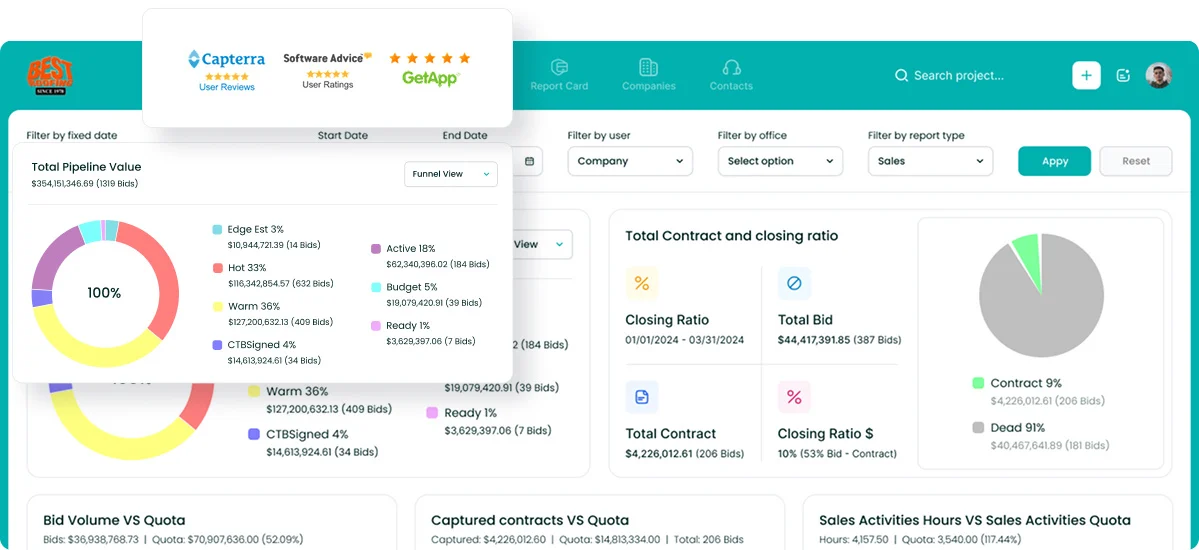
Jobber’s plans make sense for a business whose growth means more booked visits. For a commercial or specialty trade contractor, growth means more bids won, and the software question is whether every lead, deadline, and proposal is tracked from first contact to award.
Followup CRM started as an internal tool at Best Roofing, built in 2009 by owner Gregg Wallick after he found nothing on the market that fit specialty contracting. Best Roofing is now the flagship case study, having grown from $6 million to $60 million.
The product launched commercially in 2012 and today serves roofing, electrical, concrete, glass and window, waterproofing, and other commercial trades.
FAQs About Jobber Pricing
How much does Jobber actually cost?
Standard list prices run from $49 per month for Core with one user to $699 per month for Plus with 15 users, on monthly billing with no commitment. Annual prepaid billing lowers those to $29 and $529 per month.
The real total adds $29 per extra user, any add-ons, and payment processing of 2.9% plus 30¢ on online card payments.
What CRM is better than Jobber?
It depends on what you sell. Jobber’s client manager is built for service customers and booked jobs. A contractor whose revenue comes from bids and proposals needs a CRM built around the pre-award sales cycle.
Followup CRM tracks leads, bid deadlines, estimates, and proposals through to close, with reporting on win rates, which is a different purpose than a field service CRM.
Why is Jobber so expensive?
The bill scales with three things: the plan tier, the number of users, and the billing term. A solo operator on Core billed annually pays $29 per month, while a 15-person team on Plus with no commitment pays $699 per month for the same product name.
Add-ons and payment processing fees are separate, so two businesses on the same plan can see very different totals.
Is Jobber actually worth it?
For a home service business that schedules, dispatches, and invoices recurring work, Jobber covers the full job cycle in one app, and the 14-day trial lets you test it on real jobs before paying.
For a contractor whose work is bid-driven, the plan features do not address the sales side. Followup CRM is built for that sales process and is the better place to start the evaluation.
What does Core cover compared with the higher plans?
Core covers the day-to-day basics for a job-based business on one monthly plan: scheduling, online booking, quotes, invoicing with online payments, the client manager, and the mobile app where field workers see upcoming jobs.
Customer communication tools such as automated client notifications and job forms arrive on Connect, team management features like automatic time tracking and job costing on Grow, and automated expense capture with marketing tools on Plus.
The CRM Built For Construction Companies
No more disorganized data. Track your leads, bids, and customers all in one place.
Seamless Integration with:
✅ Foundation ✅ Viewpoint ✅ Sage and more