TL;DR
- A construction CRM is customer relationship management software built for how contractors actually sell, with bid tracking, bid calendars, and estimate workflows at its core.
- Generic CRMs are designed for short sales cycles and standard pipelines, which is why they often fail in construction.
- The features that matter most are lead and bid tracking, a digital bid calendar, email logging, proposal generation, reporting dashboards, and ERP integrations.
- The right choice comes down to construction-specific design, integration fit, and how easily your team adopts it.
- Followup CRM is built specifically for commercial and specialty trade contractors to win more contracts.
What Is a Construction CRM?
A construction CRM is software that helps contractors manage leads, bids, and client relationships in one central place.
CRM stands for customer relationship management, but in construction, the job is more specific. The system tracks every opportunity from the moment a lead comes in, through the bid and estimate stage, all the way to a won or lost outcome.
Construction sales do not look like sales in other industries. A single job can take months to close.
Winning it involves site visits, detailed estimates, formal bid submissions, and coordination between estimators, project managers, and owners. Deadlines are hard, and missing a bid date means losing the job outright, no matter how good your price was.
A construction CRM is built around that reality. It centralizes contact records, communication history, documents, and bid deadlines so nothing depends on one person's memory and gives teams what they need to enhance client relationships over time.
It shows leadership exactly what is in the pipeline, what is due this week, and how the team is performing.
For construction companies still running sales on spreadsheets, CRM software for construction replaces a dozen scattered files with a single source of truth.
How a Construction CRM Differs From a Generic CRM
Plenty of construction companies have tried the best CRM software on the market, used it for three months, and gone back to spreadsheets. That is usually not a discipline problem. It is a fit problem.
Generic CRMs are designed for high-volume, short-cycle sales. Their pipelines assume a lead becomes a demo, a demo becomes a proposal, and a deal closes in weeks. The construction industry does not work that way.
Contractors need to track bid due dates, manage long estimating timelines, and handle construction projects that involve multiple decision makers over months. A construction CRM differs in a few concrete ways:
- A digital bid calendar sits at the center of the workflow. Every bid's due date is visible to the whole team, so deadlines drive daily activity instead of hiding in email threads.
- Pipeline stages match how contractors sell. Stages like bid submitted, estimate in progress, and pending award reflect real construction sales work rather than generic deal steps.
- Integrations point to construction systems. A construction CRM connects to ERP, accounting, and estimating platforms contractors already run, not just marketing tools.
- Reporting answers contractor questions. Win rates by estimator, hit rates by project type, and pipeline value by bid date matter more than generic sales metrics.
Generic CRM tools can be customized to approximate some of this, but customization takes time, money, and an admin who maintains it. Software built for construction from day one gets you there without the rebuild.
That is the core reason purpose-built options exist, and why construction firms that switch to one tend to stay.
Why Contractors Need a Construction CRM
The case for a construction CRM software platform comes down to the money you are already losing without one.
Missed follow-ups, forgotten bid dates, and scattered project information all cost construction businesses real revenue, and most cannot see how much until they start tracking it.
Here is what changes when the sales process moves into one system.
Fewer Missed Bids and Follow-Ups
Most lost jobs are not lost on price. They are lost due to silence. A lead comes in, someone means to call back, and three weeks later, the client has signed with a competitor who simply answered faster.
A construction CRM attaches reminders and tasks to every open opportunity. When a bid is due on Friday, the estimator sees it on Monday. When a proposal has sat unanswered for a week, the system prompts a follow-up call.
Nothing depends on someone remembering to check a spreadsheet.
The bid calendar does the same for deadlines. Every due date is visible to the whole team, so a submission never slips because one person was out sick or buried on a job site.
One Source of Truth for Contacts and Documents
Ask three people at a typical contracting company for a client's current contact info, and you may get three different answers. One has it in Outlook, one in a phone, and one in an old estimate file.
CRM software with solid contact management ends that. Every contact, email thread, site photo, drawing, and bid document lives on the record for that job.
When an estimator leaves the company, their pipeline and history stay behind. When a client calls with a question, whoever answers can pull up the full story in seconds instead of forwarding the call around the office.
Faster answers and fewer dropped balls also improve customer satisfaction, which is where repeat work comes from.
Pipeline Visibility for Leadership
In many construction companies, owners find out how the quarter went after it is over. Pipeline reviews run on gut feel and whatever the estimators remember from the Monday meeting.
With one, leadership sees the pipeline live.
- How much work is out for bid right now?
- What is likely to land next month?
- Which estimator is carrying the heaviest load, and which project types close at the highest rate?
That visibility turns staffing, equipment, and cash flow decisions into planning instead of guessing.
It also changes accountability. When activity and results are visible, sales conversations focus on facts rather than recollections.
Faster Proposals and Approvals
Building proposals by hand eats up hours that estimators should spend estimating. Copying details into a template, formatting it, printing, chasing a signature, and filing the result add days to every deal.
A construction CRM software tool with a proposal generator pulls job details straight from the record into a branded document. An electronic signature closes the loop, so a client can approve from a phone on a job site instead of waiting to print, sign, and scan.
Deals that used to stall in the paperwork stage keep moving, and the signed document files themselves against the job.
Better Win and Loss Insight
Most contractors know their overall hit rate, roughly. Far fewer know their hit rate by project type, client, or estimator, and that is where the useful decisions live.
CRM systems record the outcome of every bid, so patterns surface.
Maybe you win half of your reroofing bids, but one in 10 new construction jobs, which tells you where to focus on estimating hours. Maybe one general contractor has taken 40 of your bids and awarded two, which tells you to stop pricing their work.
Bidding smarter beats bidding more, and you can only bid smarter when the history is on record.
Key Features to Look For in a Construction CRM
Not every CRM platform that markets to construction companies is actually built for them. The list of essential CRM features below is the practical test. If a platform is missing more than one or two of these, it is a generic CRM wearing a hard hat.
Lead and Bid Tracking
This is the core of the system and the heart of lead management. The CRM should capture and manage leads from every source you use, whether that is a website form, a plan room, a general contractor invitation, or a phone call, and track each one through your pipeline.
Look for the ability to record job details, bid amounts, key dates, and the people involved for every opportunity.
The system should show the status of any bid at a glance and keep a full history of what happened and when. If logging a new lead takes more than a minute, the team will stop doing it, so ease of entry matters as much as depth.
Digital Bid Calendar
A shared bid calendar is the single most construction-specific feature on this list, and generic CRMs almost never have one. Every bid due date should appear on a calendar the whole team can see, tied directly to the opportunity record.
This keeps bid management planned around real deadlines. The team can spot crowded weeks in advance, spread the workload, and never learn about a due date the day before it hits.
Email Integration and Activity Logging
Sales conversations happen in email, and a CRM that requires copying those threads by hand will always be out of date. Look for native Outlook and Gmail integration that logs messages against the right contact and deal automatically.
Good activity logging extends to calls, meetings, and notes. The goal is a complete record of every touchpoint without anyone doing data entry as a second job.
Proposal Generation and E-Signature
A built-in proposal generator turns the job details already in the CRM into a branded proposal without retyping anything. An electronic signature lets the client approve from anywhere, and the signed document saves against the deal automatically.
This one feature can shave days off the close. It also standardizes how proposals look and what they include, which protects you from errors that creep in when every estimator maintains a personal template.
Some construction solutions pair this with a client portal, so clients can review updates and approvals in one place.
Dashboards and Reporting
The CRM should answer leadership questions in real time. Pipeline value, win rates, activity levels, and performance by estimator or project type should all be visible on a dashboard, not assembled by hand at the end of the month.
Check whether reports and analytics can be filtered and customized to match how you run the business. A report that you cannot shape to your own sales process ends up ignored.
ERP and Accounting Integrations
Sales data should not live on an island. When a job is won, the details need to flow into your accounting or ERP system without rekeying.
Look for integrations with the construction platforms you already run, such as Foundation, Sage, Vista, Spectrum, or QuickBooks, plus estimating and project management tools.
Two-way sync is the standard to look for. It keeps customer and job records matched in both systems, so the office is never reconciling conflicting versions of the same data.
If your business operations depend on project management features in other systems, confirm the CRM can pass data to them cleanly.
Mobile Access
Contractors sell from trucks, job sites, and client offices, not from desks. The CRM needs a mobile app experience that lets the team check the sales pipeline, log a call, or pull up a contact from the job site.
Mobile access is also what keeps the data current. If updating a deal has to wait until someone is back at a computer, updates stop happening, and the CRM slowly turns back into a spreadsheet nobody trusts.
How to Choose the Right Construction CRM Software
The feature list narrows the field, but the final call comes down to fit. These are the questions that separate a CRM your team will use from one that becomes shelfware.
- Was it built for construction or adapted to it?
A platform designed around bids, estimates, and contractor workflows fits your process on day one. A generic system rebuilt through custom fields and workarounds needs constant upkeep, and the gaps show up in daily use.
- Does it connect to your existing stack?
List the ERP, accounting, and estimating software you run today, then check for native integrations with each. A CRM that cannot talk to your construction bid management software and back-office systems creates double entry, and double entry kills adoption.
- Will the field team actually use it?
Ask for a demo with your least technical estimator in the room. If they cannot log a lead or check the bid calendar within minutes, keep looking.
- Does the reporting match how you run the business?
Confirm you can see win rates, pipeline value, and estimator performance the way you already review them.
- What does support look like after the sale?
Live support and construction-literate onboarding shorten the path to full adoption.
Tips for Implementing a Construction CRM Software Solution
Choosing the best CRM platform for your business is half the job. Implementing CRM software well is the other half, and it is where most construction firms stumble. These practices separate a system the team lives in from one that dies in month three.
- Clean your data before you migrate it. Move contacts, project details, and open bids into the new centralized system only after removing duplicates and dead records. Centralized data management only pays off when the data is trustworthy.
- Build pipeline stages around your construction process. Configure stages to match how your company actually sells, from lead intake through bid, estimate, and award. Construction-specific workflows keep sales pipeline tracking honest instead of forcing the team into generic steps.
- Connect your existing systems on day one. Integration capabilities matter most at rollout. Sync the CRM with your accounting software and estimating tools immediately, so manual data entry never gets a chance to become a habit.
- Train the field on the mobile app first. Construction professionals adopt tools they can use from a truck. If the field team logs activity on mobile from week one, the office side follows naturally.
- Set a reporting cadence and stick to it. Review sales performance, project progress, and win rates in the same meeting every week. Reports that leadership actually reads keep the whole team updating the system.
Stop Losing Bids, Start Winning Work With Followup CRM
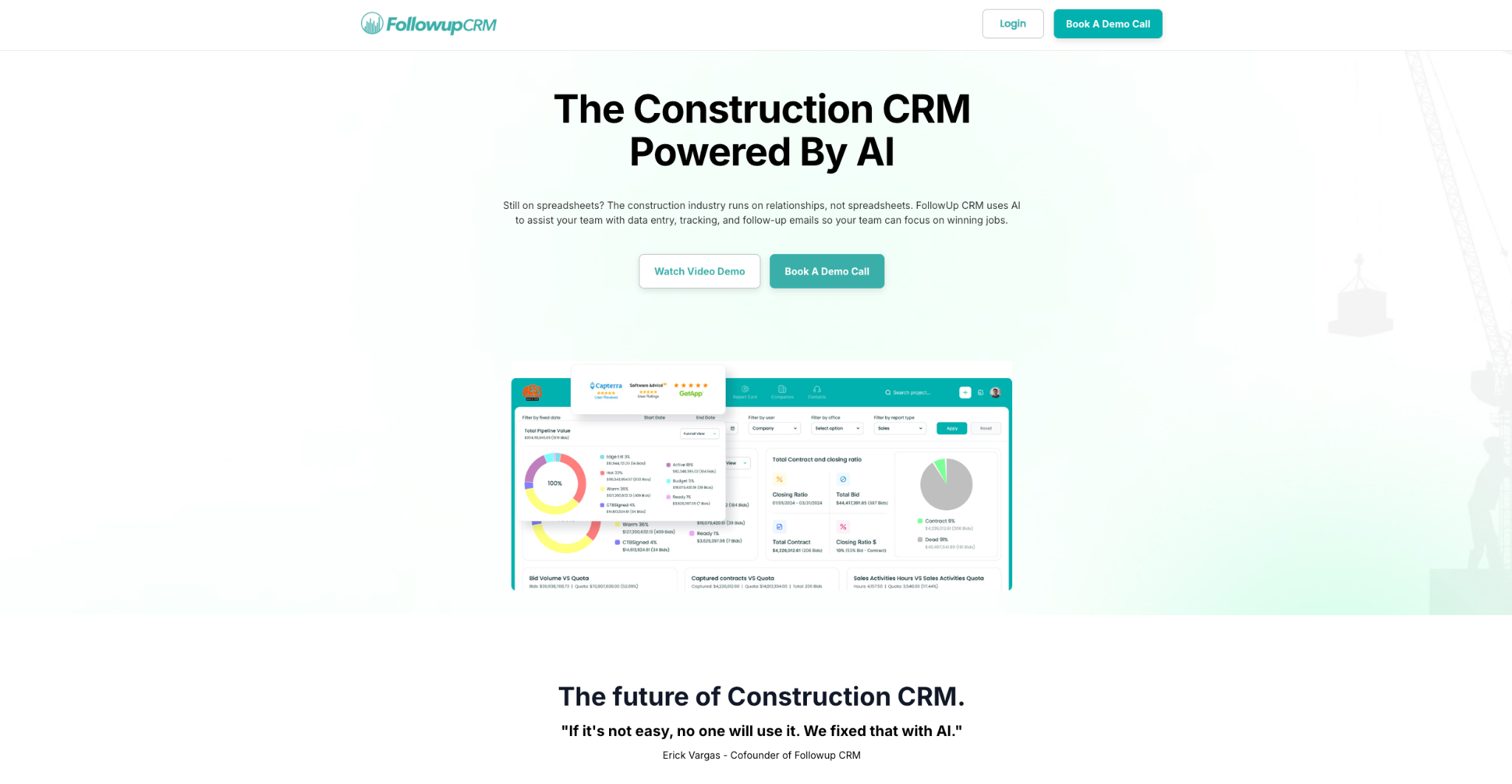
Followup CRM is a sales and bid-tracking CRM built specifically for commercial and specialty trade contractors. It covers the full sales cycle from lead intake through bid, estimate, proposal, and close, and it maps directly to the pain points covered in this guide.
Missed Bids and Follow-Ups, Solved
Every lead enters one sales pipeline, no matter the source. The digital bid calendar puts all due dates in a single shared view, so the estimating team plans the week around real deadlines instead of finding out about them too late.
Notifications and reminders tie directly to the pipeline, prompting the right follow-up at the right time. Deals stop dying of silence.
AI That Removes the Data Entry Problem
The biggest reason CRMs fail is that nobody keeps them updated. Followup CRM attacks that head-on.
Voice AI lets a contractor speak about what happened after a call or site visit, and the AI handles the data entry.
Outlook and Gmail integration logs email activity, creates contacts, and links records to the right project automatically. The pipeline stays current without anyone typing notes at the end of a long day.
Visibility and Faster Closes
Sales and estimating dashboards show pipeline value, close rates, and team performance in real time, so leadership plans from live numbers rather than month-old recollections.
Win/loss and activity reports reveal which project types and clients are worth the estimating hours.
The proposal generator builds branded proposals from deal data and sends them for virtual signature, so approvals happen from anywhere, and closed deals keep moving.
Connected to the Tools Contractors Already Run
Followup CRM integrates with construction ERP and accounting systems, including Foundation, Vista, Spectrum, Sage, ComputerEase, and QuickBooks.
It also works with estimating and project management tools like The Estimating Edge, STACK, Procore, and BuildingConnected. ERP integration runs as a two-way sync, so sales and the back office stay matched without double entry.
FAQs About Construction CRM
What is CRM in construction?
CRM stands for customer relationship management. In the construction industry, CRM software is a tool for managing customer relationships, leads, and bids in one place.
A construction CRM stores contact records, communication history, documents, and bid deadlines against every opportunity, then turns that project data into pipeline and sales reporting.
Construction companies use it to replace spreadsheets, reduce manual data entry, and keep business development organized through the full project lifecycle.
What is the best CRM for construction?
The best construction CRM software depends on how your company sells.
For commercial and specialty trade contractors, Followup CRM is the strongest fit. It is built around bid tracking, a digital bid calendar, and integrations with construction accounting and ERP systems.
Generic CRM systems can suit construction businesses with simple sales cycles, but the right CRM software for most contractors is one designed for construction-specific workflows from the start.
What are the top five CRMs?
General-purpose lists usually feature Salesforce, HubSpot, Zoho, Pipedrive, and monday CRM. These are capable CRM tools for standard sales teams, and they may do well for construction firms with basic needs.
For contractors, though, the more useful question is which CRM solution handles bids, estimates, and construction management software integrations natively, such as Followup CRM.
What are the four types of CRM?
The four types are operational, analytical, collaborative, and strategic.
- Operational CRM focuses on automating sales, marketing, and service tasks.
- Analytical CRM turns customer interactions and sales data into insight for decision-making.
- Collaborative CRM emphasizes communication tools and shared records between teams.
- Strategic CRM centers the whole business on long-term customer relationships.
The CRM Built For Construction Companies
No more disorganized data. Track your leads, bids, and customers all in one place.
Seamless Integration with:
✅ Foundation ✅ Viewpoint ✅ Sage and more