TL;DR
- Buildxact is estimating-first software for small residential builders. Its core strengths are takeoffs, quoting, and job costing.
- Buildertrend is project management software for home builders, remodelers, and specialty contractors. It focuses on scheduling, financial management, and client communication.
- Buildxact suits small firms that live and die by fast, accurate bids. Buildertrend suits residential teams managing multiple active projects.
- Followup CRM is built for commercial and specialty contractors who need bid tracking and pipeline management before the project starts.
What Is Buildxact?
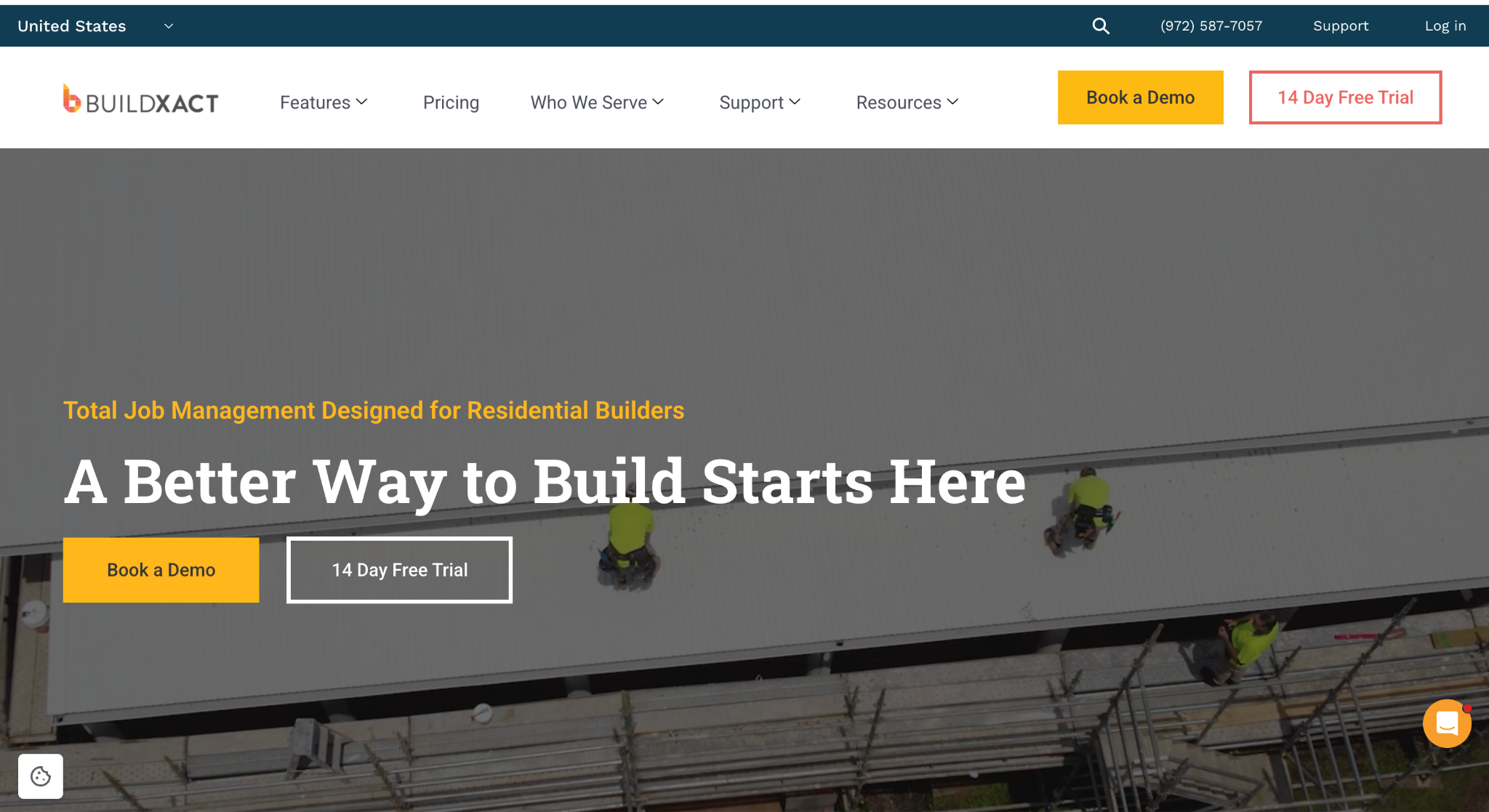
Image source: buildxact.com
Buildxact is cloud-based construction software built for small residential builders, contractors, and remodelers. Its core focus is estimating. The platform is designed to take a builder from the first takeoff to the final invoice inside one system.
The estimating workflow is where Buildxact concentrates most of its features. Users upload plans, run digital takeoffs, and turn measurements into quotes without re-entering data.
The company positions its AI-powered estimating assistant, called Blu, as a way to speed up takeoffs and get quotes out the door faster. For small firms where the owner handles estimating personally, that speed matters.
Beyond estimating, Buildxact includes job costing, purchase orders, invoicing, and basic scheduling. It connects estimates directly to budgets, so project costs are tracked against the original quote as the job progresses.
Dealer and supplier price lists can be loaded into the system, which keeps material costs current when quoting.
Buildxact is a suitable option for residential builders who win work through fast, accurate bids and want estimating, job costing, and invoicing on one platform. It is not designed for large commercial operations or complex builds with many teams.
What Is Buildertrend?
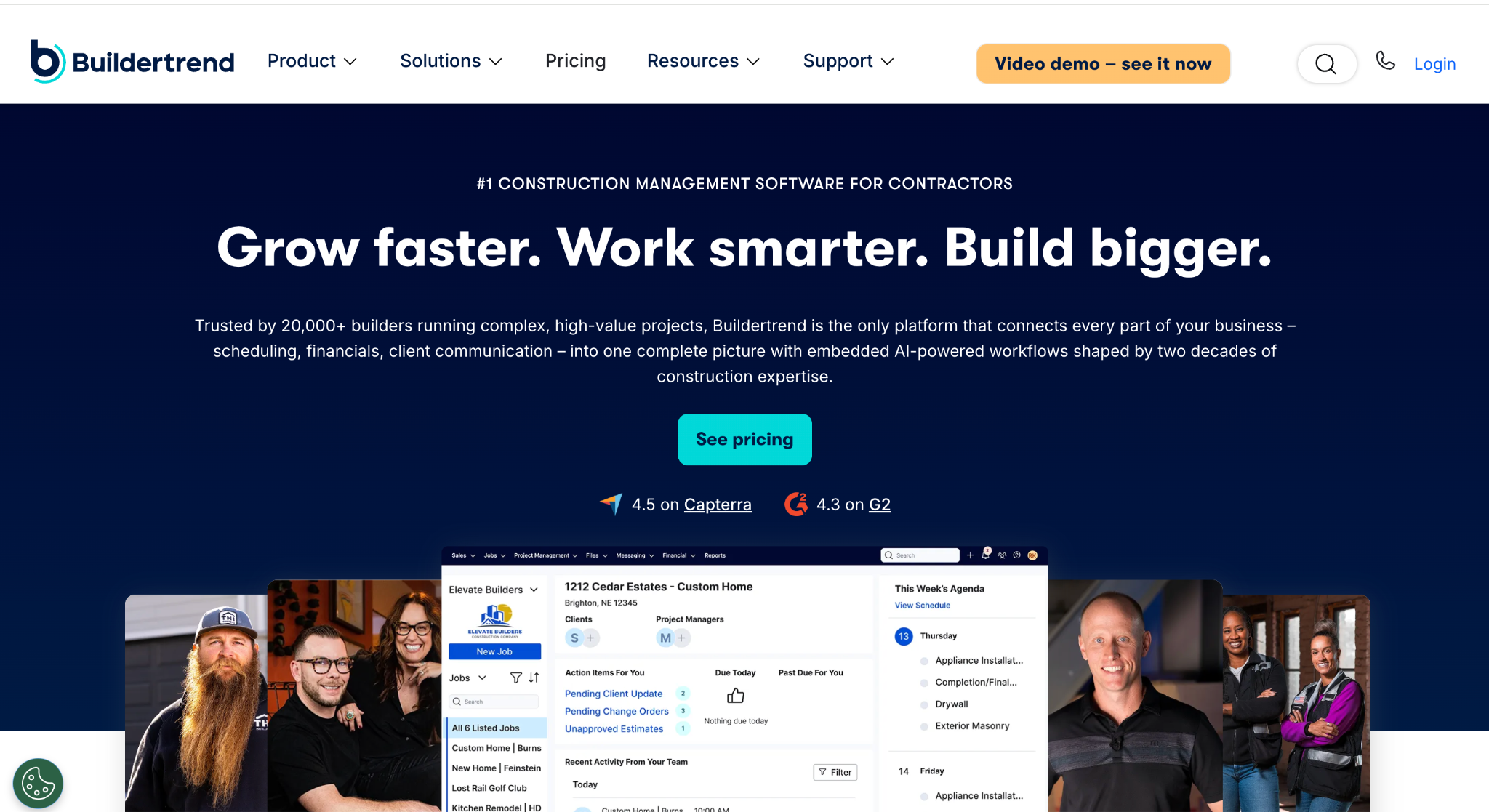
Image source: buildertrend.com
Buildertrend is construction management software for home builders, remodelers, and specialty contractors working in residential construction.
Where Buildxact centers on estimating, Buildertrend centers on project management. The platform covers scheduling, daily logs, change orders, and task management. Teams can assign tasks, track progress, and keep field and office staff working from the same information.
Client communication is a major part of the platform.
A client portal gives homeowners controlled access to project updates, selections, documents, and payments, which cuts down on status calls and email threads. Document management keeps plans, drawings, and contracts attached to the right job.
On the money side, Buildertrend includes financial management tools for budgeting, invoicing, and payment processing. It integrates with accounting software such as QuickBooks and Xero, so job financials flow into the books without double entry.
Buildertrend is a good fit for residential builders managing several active projects at once who need scheduling, client communication, and financials in one system.
Key Features and Pricing Comparison
This section breaks down how the two platforms compare in the areas that matter most to builders: estimating, project management, financials, client communication, ease of use, and pricing.
Estimating and Takeoffs
Estimating is Buildxact's home turf. The platform handles digital takeoffs from uploaded plans, converts measurements into line items, and builds quotes from price lists and templates.
Its estimating assistant applies automation to the takeoff process, which shortens the path from plans to a submitted quote. For builders whose sales process is essentially their estimating process, this depth is the main reason to pick Buildxact.
Buildertrend includes estimating as part of its broader toolkit. Users can build estimates, convert them into proposals, and roll approved numbers into the project budget. The estimating tools work, but they sit alongside dozens of other features rather than being the center of the product.
If quoting speed and takeoff accuracy drive your business, Buildxact goes deeper. If estimating is one step in a longer project workflow, Buildertrend covers it adequately.
Project Management and Scheduling
Project management is where the roles reverse.
Buildertrend gives builders a full scheduling system with calendar views, task dependencies, and automatic notifications when dates shift. Daily logs capture site conditions, weather, and crew notes from the field.
Change orders are documented, priced, and sent to clients for approval inside the platform, which keeps scope changes from turning into disputes over money.
Buildxact includes scheduling, but it is lighter. Builders can create schedules, assign tasks to team members and subcontractors, and track progress against the plan.
For a small firm running a handful of jobs, that level of scheduling is often enough. For complex projects with many teams, long timelines, and frequent scope changes, the tools thin out.
The practical difference: Buildertrend is built to manage the build itself, while Buildxact is built to win and cost the job, with scheduling as a supporting feature.
Financial Management and Job Costing
Both platforms track project money, but they approach it from different directions.
Buildxact ties job costing directly to the estimate. The quote becomes the budget, and actual costs from purchase orders, invoices, and timesheets are tracked against it in real time.
Builders see margin movement as the job progresses instead of discovering overruns at the end. Supplier price lists keep material costs current, which protects quoting accuracy when prices move.
Buildertrend takes a wider financial management view. The platform covers budgeting, bills, invoicing, and payment processing, including online payments from clients.
Its accounting integrations with QuickBooks and Xero sync job financials with the books, so the office team is not entering the same data twice.
For a builder focused on protecting margin from quote to completion, Buildxact's estimate-to-actuals link is the tighter loop. For a builder managing cash flow, client payments, and accounting in one place, Buildertrend carries more of the financial workload.
Client Communication and Document Management
Buildertrend puts client communication near the center of its platform.
The client portal gives homeowners a controlled view of their project: schedule updates, photos, selections, documents, and payment requests in one place. Clients approve change orders and make selections inside the portal, which creates a written record and cuts down on phone calls.
For remodelers and custom home builders whose clients want constant visibility, this is one of Buildertrend's strongest selling points.
Buildxact handles client-facing work primarily through quotes and documents. Builders send professional quotes, share specifications, and keep contracts and drawings attached to the job. It covers the essentials, but it does not offer the same interactive portal experience.
On document management, both platforms store plans, contracts, and correspondence against the right project. Buildertrend adds more structure around approvals and selections, while Buildxact keeps documents close to the estimate and the job file.
Ease of Use and Learning Curve
Buildxact is generally regarded as quick to adopt.
The platform is aimed at small firms without dedicated software administrators, so setup is template-driven, and most builders can produce their first estimate shortly after signing up. Intuitive navigation and a narrower feature set mean there is simply less to learn.
Buildertrend covers more ground, and that breadth comes with a steeper learning curve. Scheduling, financials, client portal settings, and integrations each take time to configure properly.
Buildertrend supports this with onboarding and training resources, and teams that invest the setup time typically settle into the platform well. But a small crew looking for results in the first week should expect a longer ramp.
The trade-off is straightforward: Buildxact gets you working faster, while Buildertrend asks for more setup in exchange for a wider set of tools.
Pricing Structure
Buildxact publishes its pricing plans openly.
There is a free Go plan that includes five credits for AI estimates and proposals, useful for testing the platform. Paid plans start with Foundation at $199 per month, which covers unlimited users, lead management, digital takeoffs, quoting, and purchase orders.
Pro runs $399 per month and adds job management, schedules, and the mobile app. Master costs $599 per month and includes the full set of Blu AI estimating tools, user access controls, and priority support.
Buildertrend does not publish prices.
For budgeting purposes, Buildxact offers transparency up front, while Buildertrend requires a sales conversation before you know the cost.
Which Construction Management Software Fits Your Business?
The choice between these two platforms comes down to what your business needs most and how your operations are structured.
Buildxact fits small residential builders and remodelers whose workload centers on winning jobs through fast, accurate quoting.
If you are running up to five projects at a time, handling your own estimates, and want software that pays for itself through quicker takeoffs and tighter job costing, Buildxact is a suitable choice.
Its lighter scheduling tools are usually enough at that scale, and the shorter setup means you are not spending weeks learning a complicated system.
Buildertrend fits residential builders managing more moving parts. If your projects run longer, involve many teams and subcontractors, and your clients expect regular updates through a portal, Buildertrend carries that load better.
It suits companies with the resources to invest in setup and training, and enough active jobs to justify the cost.
Both tools serve the residential side of the construction industry. Custom home builders, remodelers, and small firms make up the core market for each. That focus is exactly where the limits appear for contractors whose work looks different.
Where Both Tools Fall Short for Commercial Contractors
Buildxact and Buildertrend are both built for residential work. Neither platform is designed for the way commercial and specialty contractors win jobs: high bid volume, long sales cycles, multiple estimators, and follow-ups that stretch over months.
Before any project gets managed, it has to be won, and that sales process needs its own system.
Followup CRM covers that gap. It is a construction CRM built for commercial and specialty contractors, having expanded beyond its roofing roots.
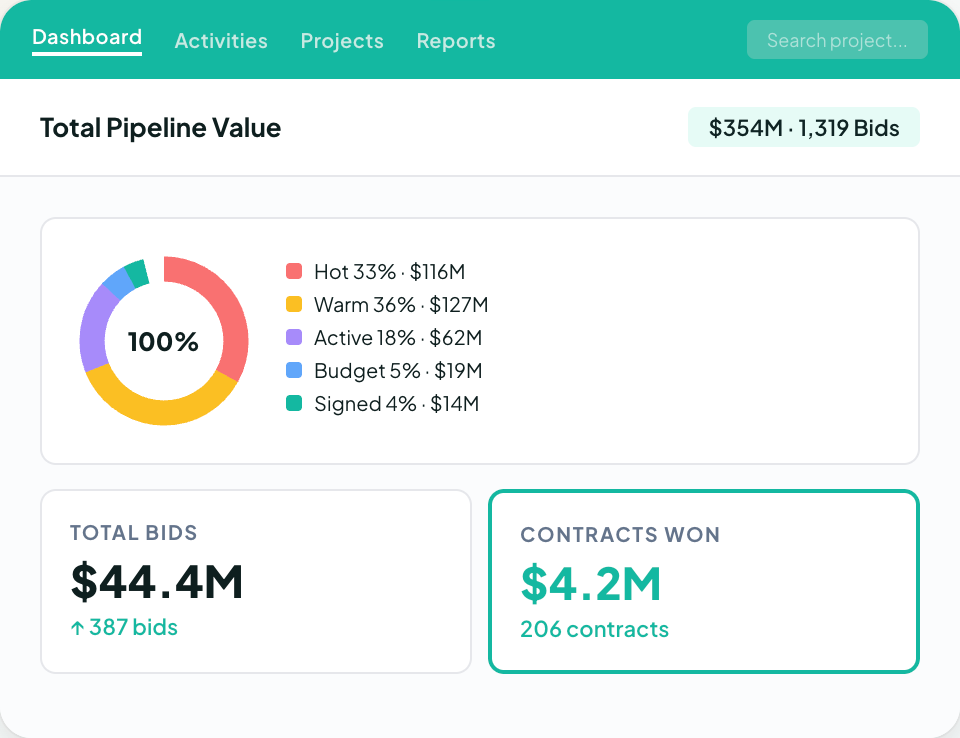
Lead and bid tracking pulls every opportunity into one pipeline, and a digital bid log keeps due dates, bid amounts, and statuses visible to the whole team. The proposal generator builds branded proposals and sends them for virtual signature.
Sales and estimating dashboards show close rates and team performance in real time, and Voice AI lets contractors speak what happened on a call while the system handles the data entry.
Followup CRM also integrates with Procore. Won bids push from Followup CRM into Procore for project management, so the sales side and the build side stay connected without re-entering data.
Contractors comparing bid management software or looking at Buildertrend alternatives for commercial work usually land here.
Try Followup CRM and Do Not Let Any Project Slip Away
Construction management software solves the project side. It does not solve the sales side, and that is where most contractors lose money without noticing.
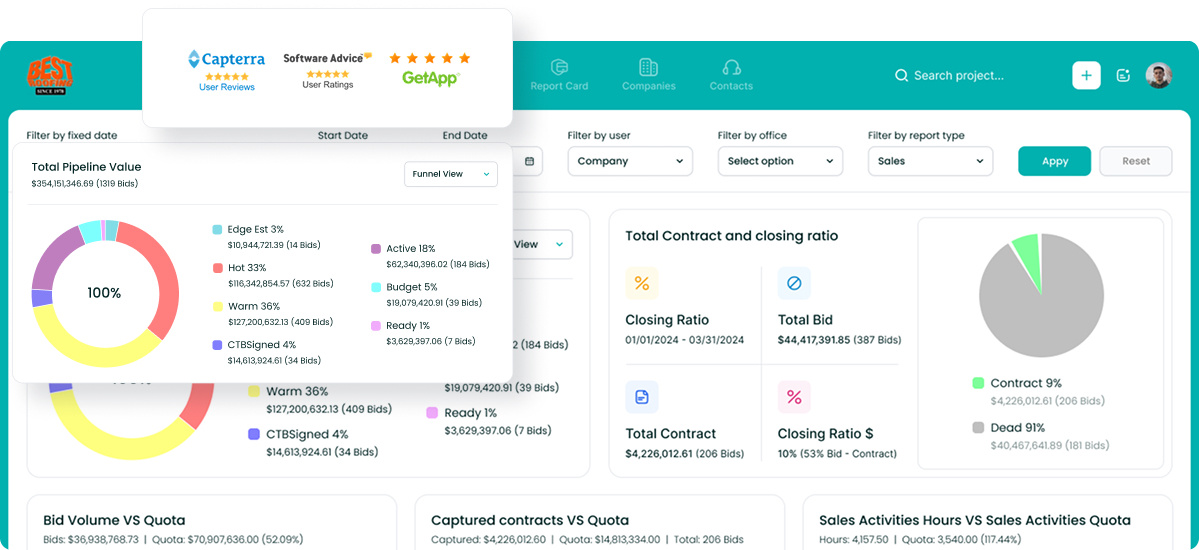
With Followup CRM, you can log every lead and bid in one pipeline, see every due date on a shared bid calendar, send branded proposals with e-signature, and check close rates and team performance from a live dashboard.
You can connect it to Outlook, Gmail, QuickBooks, and your ERP system, so sales data flows where it needs to go without double entry.
See how it works on your own pipeline. Book a demo with Followup CRM today.
FAQs About Buildxact vs Buildertrend
What are people saying about Buildxact in their reviews?
Reviewers generally describe Buildxact as easy to set up and quick to learn, with the estimating and takeoff tools drawing the most positive comments. Small residential builders report that quoting gets faster once templates and price lists are loaded.
Some users note that the subscription cost feels high for very small operations and that the platform is lighter on project management than broader systems.
As with any software, reviews reflect residential use cases, so commercial contractors should weigh them against their own workflow.
What is the best construction estimating software?
It depends on the type of work. For small residential builders, estimating-first tools like Buildxact are a suitable option. Commercial and specialty contractors usually run dedicated estimating tools and need the results connected to their sales pipeline.
Followup CRM integrates with estimating software such as The Estimating Edge and STACK, so estimates flow into bids, proposals, and follow-ups in one system.
Who are Buildxact's competitors?
Buildxact competes with other residential construction management platforms, including Buildertrend, JobTread, and Houzz Pro. Its closest overlap is with tools that lead on estimating and takeoffs.
Contractors on the commercial side work from a different set of tools, where sales and bid tracking come first. Followup CRM serves that market.
Who are Buildertrend competitors?
Buildertrend's main competitors include Buildxact, JobTread, CoConstruct, and Houzz Pro on the residential side.
For commercial and specialty contractors who need lead and bid tracking rather than residential project management, Followup CRM is the stronger fit, since it manages the sales cycle from first contact through signed proposal.
The CRM Built For Construction Companies
No more disorganized data. Track your leads, bids, and customers all in one place.
Seamless Integration with:
✅ Foundation ✅ Viewpoint ✅ Sage and more